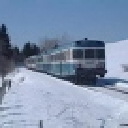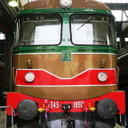
[JT] Italian Route Torino Novara

Discord Einladung
Trete unserem Discord-Server bei (klicke hier zum Beitreten).
  • Kim,when i remember correct i had the same problem,but solved when set the

    speed higher at the data input in the data screen.if you have the Scenario Pack from

    Beluxtrains(available here in download)pls look in the manual as he gave some samples what to fill in there,

    after this you can drive at given speed.

    This is for the scenarios with the WG 464,

    don't know the values for the Minuetto.


    Cast0213

    In this respect some question,i saw in a video that somehow it is possible to show the train length and weight,what must be typed to show it or is it in the scmt addon,or

    maybe this was for the 464 only.

  • It is shown both on Minuetto and E464 by the SCMT plugin. As soon as you enter the field "Loco Mass" or "Train length", it should appear in the upper corner. At the end the scmt plugin is using the TSC function GetConsistLength and Get ConsistMass to show up the values. Using the default RSC will not require any data input


    For the speed, you're right. You've to set the speed. Usually Minuetto is 160 km/h but it could be that the value entered depends also on the railway you're driving. (For this Mr. Codadilupo is more than expert).


    Additionally you've to setup the number of drivers under the PdC field. Normally Minuetto has one driver only, but if you put 1, the SCMT system will reduce (for a specific italian procedure) the maximum speed, to something around 100 kph (I do not recall in this moment).

    This is the reason why a lot of italian simmers use 2 as the number of "drivers".


    Just a short hint in regards to the list of data to be introduced for the Minuetto (if experts find some of the hints wrong, pls correct):

    Uso Locomotiva (Loco use) "In Testa" for the Minuetto

    PMF (Braking mass perc) Depends on the route, but between 130 and 145 should be ok

    Lunghezza reale (Real Length) It is suggested in the upper corner. It should be around 50 for a single Minuetto

    Freno (Brake) "P" for the Minuetto. "G" is used for freight

    Tipo treno (train type) "V" for the Minuetto. "M" is for freight

    Vmax treno (max speed train) Minuetto is 160km/h. I'm not 100% sure that the max speed to be setup here depends also on the route condition. It should depends logically.

    Rango (rank) "C" for the Minuetto (there was an error in one of my movie). This means that the speed board limit to be looked to when driving is always the lower one.

    Rallentamento (Slowing down) "Treno" for the Minuetto "Loco" is for passenger train and other types

    PdC (number of "man in cab") already explained

    Massa (mass) It is suggested in the upper corner. It should be around 90 for a single Minuetto

    Orario (time) Time of the day


    Hope it helps

  • Cast0213 Thanks, everything works now. I wish there was a way to save the input data, because (and that’s just me, i know others love startup procedures) i just want to get into a relatively ready train and get to the fun. I think i will live with RSC for now, eventhough it feels like cheating.


    However i know that’s not up to you but to WC.

    Ich bin der Musikant mit Taschenrechner in der Hand.

  • New release is under testing. I hope as soon as possible to release it.


    Main fix should be the assets with special char in naming corrected

    Fix for no scmt plugin (release strategy still to be finalized)

    Improved signal lights

    Fix on some missing winter texture (especially on crossing level strail)

    New 3d tracks model (strategy to include them still to be defined)

  • Good day everyone.

    I'm a 26 years old developer with a passion for simulation. I've been simulating trains and planes for more than a decade and I've been lurking around without ever posting anything, but this release was a total surprise for me, looking around the internet for opinions I saw a bit of "drama" on this thread and I decided to register in order to share my quick two cents and possibly shed some light into the background of the scene and why this route is, in my opinion, extremely important.


    The Italian train simulation scene is on life support - it's dieing. While in real life most endings are a new beginning, this is straight up just decades of work and collaboration slowly vanishing into the void.


    There are just a couple of train simulation communities still alive, struggling to keep up with server costs relying on donations and with last posts dating to years ago.


    My entire TS: Classic "career" was spent going back and forth from Torino to Asti on the SFM, because it's literally the ONLY electrified route that "just works".


    There is no modern rolling stock for Italy except a few completely broken payware addons and for the E464 by Worcester-George, state-of-the-art freeware addon (the fact that the readme was compiled in LaTeX is just an hint at the amount of effort that probably went around the development of that locomotive).


    Italian scenery is extremely diverse and complicated to reproduce, I've tried to create some routes and ended up spending entire weeks focusing on the same 10 square meters. Sometimes it is just not reasonable to jump into Autodesk Inventor and create a quick cuboid just to reproduce that one-story cyan house with a huge clock on the roof, even if it's right next to the railway and can be considered a "point of interest". Sometimes you JUST HAVE to find a compromise. I agree that expectations for payware can be high, but Kuju vegetation and buildings a little bit taller can work perfectly fine for me.


    I have not yet bought this route because I already treated myself with hundreds of euros of flight simulation hardware, but next month this is going to be an auto-buy for me aswell.


    You can tell that a lot of work was done: this is, to my knowledge, the only Italian route with working timetables, working signal repetition and working rolling stock that doesn't date back to the 90s.


    If you want to drive trains in Italy this is probably *THE* route. Not going to argue with the price, it's subjective but I personally think it's fair, considering you can spend 15€ on payware rolling stock that is straight up broken. I've sometimes found myself paying 35€ for a burger and a bottle of water.


    I want to thank Cast, Worcester-George, C. D'Albero and all the people I don't know who have been beta testing and working for us in order to finally enjoy proper Italian material and carrying the entire dieing scene on their backs. Congratulations.


    Constructive criticism is inevitable but I believe some context has to be provided in order to truly appreciate this route. I'll try this route next months, can't wait.


    Sorry for writing in English but I have a very basic knowledge of German.

    Tschüss!


    Ludovico.


    EDIT: Couldn't wait, I just bought it. I'll try it and give you my final thoughts.

  • I am very interested in this line. However, I am waiting for your update.

    One question: the manual states that ‘Signals: Pack Segnali Cast0213’ is a prerequisite.

    I cannot find this download anywhere.

    Thank you.

    :)

    Windows 11 pro Intel Core i5 13400F 32 Gb Speicher NVIDIA Geforcee RTX 4060 TI Ghost 8 gb

  • I am very interested in this line. However, I am waiting for your update.

    One question: the manual states that ‘Signals: Pack Segnali Cast0213’ is a prerequisite.

    I cannot find this download anywhere.

    Thank you.

    :)


    Not sure to have understood which update are you talking, anyway the new release is coming soon with some bug fixes and minor update. Timing it depends now by the new installer to be prepared by JT that has to include an extra operation to check if the user has or has not the SCMT plugin (optional) installed. This is needed to copy a specific file that is different depending on it. With this new release should be corrected all the previous issues in regards to correct functioning of the route and the Minuetto also in computer that has not the SCMT plugin installed.

    Additionally, there are some minor changes that can be summarized as follow:

    - change of some assets in the common library to get rid of special char in file naming that was causing some "missing assets" in certain windows installation language

    - corrected some winter texture missing

    - corrected some night texture in a couple of buildings

    - new full 3d tracks replacing the simil-3d original tracks

    - corrected in the default RSC instruments the texture that now display the time when switched off

    - added electric random sparkles in all the rolling stock (Minuetto and AI) in winter and autumn (light effect + particle effect)

    - some sound changes on track when under a bridge,

    - added one enhanced scenario (with AP weather) to show some scenario feature (announcement, display on station, dynamic destination and failure) already partially shown in one of the 3 presentation video's.


    For the pre-requisites, it is not a pre-requisite of the route, but for the Minuetto to be fully usable. But the "Pack Segnali" is included in the route itself. This pre-requisite has been introduced in the manual in case in the future the Minuetto will be delivered not within the route (as it is currently). So you do not need to have anything else other than the full package, except for:

    1) Required: European loco and assets pack (that most of the users already have because needed for a lot of products)

    2) Optional: SCMT plugin to have the full features available.


    Hope to have answered you!

  • Thanks Cast0213. It's a great Work.

    I'm going to buy it to encourage this type of creativity and initiative. Well done!

    :)

    Windows 11 pro Intel Core i5 13400F 32 Gb Speicher NVIDIA Geforcee RTX 4060 TI Ghost 8 gb

  • dear Cast 0213, I bought your awesome route from Train sim.ch. I have a problem , I downloaded the WinRar file 4 times now but it shows rar file corruption. My email is support@bethlehemhosting.co.za


    May i ask your help please, will send you my order number at trsinsim.ch as well as proof of payment.


    Looking forward to hear from you

    Kind regards

    Gert

  • I replied you in the private conversation.

  • For your information, new release is in progress to be published by JT.

    This will include several fixes and addition. Look at the changelog in the route manual and in the JustTrains support page when will be finally online, but anyway are the same already mentioned in my post dated 7th of January, plus some minors upgrade.


    Also in the next days should be available as a free pack (always at Just Trains) and for personal use only a swapper to include some logo's on train, trailers, shop etc.

  • Here is the changelog for version 1.0.3:


    v1.0.3

    Route:

    - Added chapter on properties and use.

    - Modified track to full 3D tracks.

    - Modified some terrain textures to better match with the new 3D track.

    - Added a specific version for installations without SCMT plugins to resolve functionality issues and modified the relevant section of the manual.

    - Added winter textures on the rail plane for the crossing level.

    - Modified night textures of Palazzina 01 and 02 to eliminate artifacts.

    - Modified the naming of some assets to eliminate special characters that meant they were missing in some countries (Ambient Pack and Line Signalling Pack).

    - Updated track sounds on underbridges.

    - Added random sparkles on AI trains for autumn and winter scenarios.

    - Added scenario [TN] RV 2014 – From Novara to Torino with announcements, failures, station panels, and dynamic destination displays, usable as a tutorial for scenario creators.

    Signals:

    - Updated the signal manual to better explain the special signal setting.

    - Added special scenario signal to show messages.

    Minuetto Train:

    - Added random sparkles for autumn and winter scenarios.

    - Modified front and cab lights to be less strong.

    - Added keyboard shortcut for windscreen washer.

    SCMT Swapper:

    - The installer places a shortcut on your desktop that allows you to switch between the basic SCMT system supplied with the route or switch to the full SCMT plug-in if you have downloaded and installed it. Please see the manual for full details on this BEFORE using the SCMT switcher.

  • Very nice new tracks.

    I don’t think i had tracks in the tunnel. Perhaps it is a procedural flora thing, because i have that turned off.


    andreago71 Did the signal lights get updated this time around? I still have difficulties reading them from more than 400m distance. But it could be that they were updated but the change isn’t as big as i personally hoped for.

    Ich bin der Musikant mit Taschenrechner in der Hand.