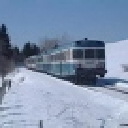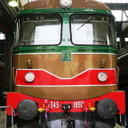
[JT] Italian Route Torino Novara

Discord Einladung
Trete unserem Discord-Server bei (klicke hier zum Beitreten).
  • D:\SteamLibrary\steamapps\common\RailWorks\Assets\Cast0213\Common\Audio\Pack Ambient\Citta 02.bin

    D:\SteamLibrary\steamapps\common\RailWorks\Assets\Cast0213\Common\Audio\Pack Ambient\Citta 03.bin

    D:\SteamLibrary\steamapps\common\RailWorks\Assets\Cast0213\Common\Audio\Pack Ambient\Citta 04.bin

    D:\SteamLibrary\steamapps\common\RailWorks\Assets\Cast0213\Common\Audio\Pack Ambient\Citta Media.bin

    D:\SteamLibrary\steamapps\common\RailWorks\Assets\Cast0213\Common\RailNetwork\Pack Segnaletica Linea\Velocita 1 rango.bin

    D:\SteamLibrary\steamapps\common\RailWorks\Assets\Cast0213\Common\RailNetwork\Pack Segnaletica Linea\Velocita 2 ranghi.bin

    D:\SteamLibrary\steamapps\common\RailWorks\Assets\Cast0213\Common\RailNetwork\Pack Segnaletica Linea\Velocita 3 ranghi.bin

    D:\SteamLibrary\steamapps\common\RailWorks\Assets\Cast0213\Common\RailNetwork\Pack Segnaletica Linea\Velocita 3zo rango.bin

    D:\SteamLibrary\steamapps\common\RailWorks\Assets\Cast0213\Common\RailNetwork\Pack Segnaletica Linea\Velocita avviso 1.bin

    D:\SteamLibrary\steamapps\common\RailWorks\Assets\Cast0213\Common\RailNetwork\Pack Segnaletica Linea\Velocita avviso 2.bin

    D:\SteamLibrary\steamapps\common\RailWorks\Assets\Cast0213\Common\RailNetwork\Pack Segnaletica Linea\Velocita Man 2 ranghi.bin

    D:\SteamLibrary\steamapps\common\RailWorks\Assets\Cast0213\Common\RailNetwork\Pack Segnaletica Linea\Velocita Man 3 ranghi.bin

    D:\SteamLibrary\steamapps\common\RailWorks\Assets\Cast0213\Common\RailNetwork\Pack Segnaletica Linea\Velocita Rid Avviso 1.bin

    D:\SteamLibrary\steamapps\common\RailWorks\Assets\Cast0213\Common\RailNetwork\Pack Segnaletica Linea\Velocita Rid Avviso 2.bin

    D:\SteamLibrary\steamapps\common\RailWorks\Assets\Cast0213\Common\RailNetwork\Pack Segnaletica Linea\Velocita Rid Man 2 ranghi.bin

    D:\SteamLibrary\steamapps\common\RailWorks\Assets\Cast0213\Common\RailNetwork\Pack Segnaletica Linea\Velocita Rid Man 3 ranghi.bin


    The TS/Tools program says these are missing. Windows is in English. The same applies to Hungarian language settings.

  • @fonok79

    Ok, I'm rebuilding the assets now.

    I'll then replace the old with the new one in the route.

    The next build release will have it corrected. When, I've to check with Just Trains as soon as they will be back from Christmas holiday.

  • Amazing costumer service Cast0213


    I have a question regarding the Minuetto. I've installed the SCMT plugin, and have the functions in RSC covered quite well.


    A couple of questions (i am not having luck understanding the the manual since it's only in Italian, and it's huge so i can't work out what part to translate)


    1 - Is it to boot into drive ready SCMT without all the Autotest, input data things happening? Ctrl X still initiates the autotest procedure.


    2 - When all the autotest things are over and i try to drive, i get a rapid brake when passing 35km/h. It's not the "R" button as i do press that as soon as the warning tone sounds.

    Ich bin der Musikant mit Taschenrechner in der Hand.

  • Amazing costumer service Cast0213

    Hi Kim, not sure to have perfectly understood the 1st question but I try to answer anyway,


    According to the plugin creator, there is no way to skip the SCMT autotest. In whichever mode you're switching on the loco (manual, automatic CTRL+Z or rapid CTRL+X), the autotest will have to be run completely. This is the same for E464 or for Minuetto, because is a procedure built in in the plugin.

    At a certain time during the autotest, it is asked if you want to introduce the train data or to drive in "manovra". You've to choose one of the two to move the loco.


    If you choose "Manovra" you cannot pass 30 kph.

    If you choose "Data introduction", you've to set everything inside (too long to explain here, but as soon as I can I'll prepare a short movie).


    Then, SCMT will calculate every frame a braking curve to fullfill the actual speed limit, the next speed limit, the following signals, etc etc. If with your speed you're above this braking curve, SCMT will act. I'm not a full expert on SCMT, but if I remember well as soon as you're 3kph above the expectation, there is some sound and visual warning, the traction is cut off and if this is enough to reduce the speed within the curve, nothing else happen. If you're above the 3kph threshold thatn the emergency braking start.


    At least this are basic info I can write not knowing what was the condition of your test....

  • Kim,when i remember correct i had the same problem,but solved when set the

    speed higher at the data input in the data screen.if you have the Scenario Pack from

    Beluxtrains(available here in download)pls look in the manual as he gave some samples what to fill in there,

    after this you can drive at given speed.

    This is for the scenarios with the WG 464,

    don't know the values for the Minuetto.


    Cast0213

    In this respect some question,i saw in a video that somehow it is possible to show the train length and weight,what must be typed to show it or is it in the scmt addon,or

    maybe this was for the 464 only.

  • It is shown both on Minuetto and E464 by the SCMT plugin. As soon as you enter the field "Loco Mass" or "Train length", it should appear in the upper corner. At the end the scmt plugin is using the TSC function GetConsistLength and Get ConsistMass to show up the values. Using the default RSC will not require any data input


    For the speed, you're right. You've to set the speed. Usually Minuetto is 160 km/h but it could be that the value entered depends also on the railway you're driving. (For this Mr. Codadilupo is more than expert).


    Additionally you've to setup the number of drivers under the PdC field. Normally Minuetto has one driver only, but if you put 1, the SCMT system will reduce (for a specific italian procedure) the maximum speed, to something around 100 kph (I do not recall in this moment).

    This is the reason why a lot of italian simmers use 2 as the number of "drivers".


    Just a short hint in regards to the list of data to be introduced for the Minuetto (if experts find some of the hints wrong, pls correct):

    Uso Locomotiva (Loco use) "In Testa" for the Minuetto

    PMF (Braking mass perc) Depends on the route, but between 130 and 145 should be ok

    Lunghezza reale (Real Length) It is suggested in the upper corner. It should be around 50 for a single Minuetto

    Freno (Brake) "P" for the Minuetto. "G" is used for freight

    Tipo treno (train type) "V" for the Minuetto. "M" is for freight

    Vmax treno (max speed train) Minuetto is 160km/h. I'm not 100% sure that the max speed to be setup here depends also on the route condition. It should depends logically.

    Rango (rank) "C" for the Minuetto (there was an error in one of my movie). This means that the speed board limit to be looked to when driving is always the lower one.

    Rallentamento (Slowing down) "Treno" for the Minuetto "Loco" is for passenger train and other types

    PdC (number of "man in cab") already explained

    Massa (mass) It is suggested in the upper corner. It should be around 90 for a single Minuetto

    Orario (time) Time of the day


    Hope it helps

  • Cast0213 Thanks, everything works now. I wish there was a way to save the input data, because (and that’s just me, i know others love startup procedures) i just want to get into a relatively ready train and get to the fun. I think i will live with RSC for now, eventhough it feels like cheating.


    However i know that’s not up to you but to WC.

    Ich bin der Musikant mit Taschenrechner in der Hand.