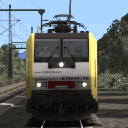
Dankeschön. Der rechte Scheinwerfer hält die Textur immer noch aus. Aber der linke Scheinwerfer ist korrigiert.
Beiträge von ES64F4
-
-
-
Ich wollte auch die Bildschirme klarer machen. Es ist vollbracht. Ich habe die Gammakorrektur auf 1,2 erhöht, mit Ausnahme des 1.1-Pull-Bildschirms. Die Farbtonunterschiede sind subtil, aber im Spiel sichtbar. Ich nutzte die Gelegenheit, um ein farbenfrohes GSM-R anzulegen und einen Texutre auf den Off-Bildschirmen hinzuzufügen. Der Bildschirm mit den Bremsen / der Traktion ist schwer zu reinigen. Eine Textur hängt von der großartigen Textur der Kabine ab.
mirko_o : low beam, default, high beam. They are just more yellow than the original ones.
matthias.gose : There are some glitchs in the light texture and positions. One of the headlights lengthens a bit and another lighthouse has a white semi-periphery.
-
Ich habe die Scheinwerfer gelber gemacht und die Lichteffekte (flare und lansflare) reduziert. Ich benutze hauptsächlich Scheinwerfer mit geringer Intensität. Ich bin mit dem Ergebnis zufrieden.
-
-
Kal000px : I only acces to engine GeoPcDx with RWtools, I can not add geometry this way. I only add stuff with .bin files.
ES64F4 Kannst du mir sagen, wo ich den "Driver" finde? In der Lok bin gibt es ihn nicht. Oder heißt der anders? Wenn ich Deinen einfüge sitzt der kleine Mann bei Ihm auf dem Schoss

True, we need to make the old one disapprear! Extact the Driver.tgpcdx from the 7z file and copy it to : Kal000px\386pack01\RailVehicles\Electric\Generic 186 402\Textures
Then edit the 386.geopctd with RWtools. Search for driver and change his shader to : LoftBlendTexDiffTrans.fx. Save and it's done. You are now a TS's Houdini!
Here is how it should be :
-
Kal000px For now, it's only a childitem. Any Kuju character will do the job. Those from vR, 3DZug or RWA should also work. This is the technical part, for the legal, you have to ask for use.
I did not managed to make the driver change cab even if I link it to an existant item like the front lights...
So o driver have to be placed at booth end and the script have to display it or not (like any other child).
PS : I have to size the driver to 110% to match the seat. That why there is 1.1 at line 1, 6 and and 11.
Code
Alles anzeigen<cEntityContainerBlueprint-sChild d:id="326061"> <ChildName d:type="cDeltaString">Driver</ChildName> <BlueprintID> <iBlueprintLibrary-cAbsoluteBlueprintID> <BlueprintSetID> <iBlueprintLibrary-cBlueprintSetID> <Provider d:type="cDeltaString">Kuju</Provider> <Product d:type="cDeltaString">RailSimulator</Product> </iBlueprintLibrary-cBlueprintSetID> </BlueprintSetID> <BlueprintID d:type="cDeltaString">scenery\Characters\TrainDriver00_01.xml</BlueprintID> </iBlueprintLibrary-cAbsoluteBlueprintID> </BlueprintID> <Matrix> <cHcRMatrix4x4> <Element> <e d:type="sFloat32" d:alt_encoding="000000A09999F1BF" d:precision="string">-1.1</e> <e d:type="sFloat32" d:alt_encoding="0000000000000000" d:precision="string">0</e> <e d:type="sFloat32" d:alt_encoding="0000000000000000" d:precision="string">0</e> <e d:type="sFloat32" d:alt_encoding="0000000000000000" d:precision="string">0</e> <e d:type="sFloat32" d:alt_encoding="0000000000000000" d:precision="string">0</e> <e d:type="sFloat32" d:alt_encoding="000000A09999F13F" d:precision="string">1.1</e> <e d:type="sFloat32" d:alt_encoding="0000000000000000" d:precision="string">0</e> <e d:type="sFloat32" d:alt_encoding="0000000000000000" d:precision="string">0</e> <e d:type="sFloat32" d:alt_encoding="0000000000000000" d:precision="string">0</e> <e d:type="sFloat32" d:alt_encoding="0000000000000000" d:precision="string">0</e> <e d:type="sFloat32" d:alt_encoding="000000A09999F1BF" d:precision="string">-1.1</e> <e d:type="sFloat32" d:alt_encoding="0000000000000000" d:precision="string">0</e> <e d:type="sFloat32" d:alt_encoding="000000403333E33F" d:precision="string">0.6</e> <e d:type="sFloat32" d:alt_encoding="00000000A0C3FA3F" d:precision="string">1.67</e> <e d:type="sFloat32" d:alt_encoding="00000060CCBD1C40" d:precision="string">7.18</e> <e d:type="sFloat32" d:alt_encoding="000000000000F03F" d:precision="string">1</e> </Element> </cHcRMatrix4x4> </Matrix> <ParentNodeName d:type="cDeltaString"></ParentNodeName> </cEntityContainerBlueprint-sChild> -
With darker windows. I never understand why all TS stuff comes with cristal clear transparent windows (that's really not match a weatherded body). No real train looks dusty with deap cleanded windows.
Oh, and BTW, a driver have taken place in the cab! One day, I will found a way to make him switch cab (mostly like attache him as a childitem to an object wich change with the driving direction).
==========================
Next is for advanced users only
==========================
Add binding key R to Rizeni
R : Toggle the engin key in/out
Shift + R : Key towards battery On (Shift makes the key go left)
Control + R : Key on running position (Control makes the key go right)
The key start sequence in keyboard is easy :
R => Shift + R => Control + R : Engine boot up !

Add this code in the InputMapper
Code
Alles anzeigen<iInputMapper-cInputMapEntry d:id="46051"> <State d:type="sInt32">0</State> <Device d:type="cDeltaString">Keyboard</Device> <ButtonState d:type="cDeltaString">ButtonDown</ButtonState> <Button d:type="cDeltaString">Key_R</Button> <ShiftButton d:type="cDeltaString">NoShift</ShiftButton> <Axis d:type="cDeltaString">NoAxis</Axis> <Name d:type="cDeltaString">ToggleControl</Name> <Parameter d:type="cDeltaString">RizeniToggle</Parameter> <NewState d:type="sInt32">0</NewState> </iInputMapper-cInputMapEntry> <iInputMapper-cInputMapEntry d:id="46051"> <State d:type="sInt32">0</State> <Device d:type="cDeltaString">Keyboard</Device> <ButtonState d:type="cDeltaString">ButtonDown</ButtonState> <Button d:type="cDeltaString">Key_R</Button> <ShiftButton d:type="cDeltaString">Shift</ShiftButton> <Axis d:type="cDeltaString">NoAxis</Axis> <Name d:type="cDeltaString">DecreaseControlStart</Name> <Parameter d:type="cDeltaString">Rizeni</Parameter> <NewState d:type="sInt32">0</NewState> </iInputMapper-cInputMapEntry> <iInputMapper-cInputMapEntry d:id="46061"> <State d:type="sInt32">0</State> <Device d:type="cDeltaString">Keyboard</Device> <ButtonState d:type="cDeltaString">ButtonUp</ButtonState> <Button d:type="cDeltaString">Key_R</Button> <ShiftButton d:type="cDeltaString">Shift</ShiftButton> <Axis d:type="cDeltaString">NoAxis</Axis> <Name d:type="cDeltaString">DecreaseControlStop</Name> <Parameter d:type="cDeltaString">Rizeni</Parameter> <NewState d:type="sInt32">0</NewState> </iInputMapper-cInputMapEntry> <iInputMapper-cInputMapEntry d:id="46051"> <State d:type="sInt32">0</State> <Device d:type="cDeltaString">Keyboard</Device> <ButtonState d:type="cDeltaString">ButtonDown</ButtonState> <Button d:type="cDeltaString">Key_R</Button> <ShiftButton d:type="cDeltaString">Control</ShiftButton> <Axis d:type="cDeltaString">NoAxis</Axis> <Name d:type="cDeltaString">IncreaseControlStart</Name> <Parameter d:type="cDeltaString">Rizeni</Parameter> <NewState d:type="sInt32">0</NewState> </iInputMapper-cInputMapEntry> <iInputMapper-cInputMapEntry d:id="46061"> <State d:type="sInt32">0</State> <Device d:type="cDeltaString">Keyboard</Device> <ButtonState d:type="cDeltaString">ButtonUp</ButtonState> <Button d:type="cDeltaString">Key_R</Button> <ShiftButton d:type="cDeltaString">Control</ShiftButton> <Axis d:type="cDeltaString">NoAxis</Axis> <Name d:type="cDeltaString">IncreaseControlStop</Name> <Parameter d:type="cDeltaString">Rizeni</Parameter> <NewState d:type="sInt32">0</NewState> </iInputMapper-cInputMapEntry>Handbrake on Key_Slash /
With this code you can use :
/ : handnbrake on
Shift + / : handbrake off
Code
Alles anzeigen<iInputMapper-cInputMapEntry d:id="46051"> <State d:type="sInt32">0</State> <Device d:type="cDeltaString">Keyboard</Device> <ButtonState d:type="cDeltaString">ButtonDown</ButtonState> <Button d:type="cDeltaString">Key_Slash</Button> <ShiftButton d:type="cDeltaString">Shift</ShiftButton> <Axis d:type="cDeltaString">NoAxis</Axis> <Name d:type="cDeltaString">IncreaseControlStart</Name> <Parameter d:type="cDeltaString">StradacON</Parameter> <NewState d:type="sInt32">0</NewState> </iInputMapper-cInputMapEntry> <iInputMapper-cInputMapEntry d:id="46051"> <State d:type="sInt32">0</State> <Device d:type="cDeltaString">Keyboard</Device> <ButtonState d:type="cDeltaString">ButtonUp</ButtonState> <Button d:type="cDeltaString">Key_Slash</Button> <ShiftButton d:type="cDeltaString">Shift</ShiftButton> <Axis d:type="cDeltaString">NoAxis</Axis> <Name d:type="cDeltaString">IncreaseControlStop</Name> <Parameter d:type="cDeltaString">StradacON</Parameter> <NewState d:type="sInt32">0</NewState> </iInputMapper-cInputMapEntry> <iInputMapper-cInputMapEntry d:id="46051"> <State d:type="sInt32">0</State> <Device d:type="cDeltaString">Keyboard</Device> <ButtonState d:type="cDeltaString">ButtonDown</ButtonState> <Button d:type="cDeltaString">Key_Slash</Button> <ShiftButton d:type="cDeltaString">NoShift</ShiftButton> <Axis d:type="cDeltaString">NoAxis</Axis> <Name d:type="cDeltaString">IncreaseControlStart</Name> <Parameter d:type="cDeltaString">StradacOFF</Parameter> <NewState d:type="sInt32">0</NewState> </iInputMapper-cInputMapEntry> <iInputMapper-cInputMapEntry d:id="46051"> <State d:type="sInt32">0</State> <Device d:type="cDeltaString">Keyboard</Device> <ButtonState d:type="cDeltaString">ButtonUp</ButtonState> <Button d:type="cDeltaString">Key_Slash</Button> <ShiftButton d:type="cDeltaString">NoShift</ShiftButton> <Axis d:type="cDeltaString">NoAxis</Axis> <Name d:type="cDeltaString">IncreaseControlStop</Name> <Parameter d:type="cDeltaString">StradacOFF</Parameter> <NewState d:type="sInt32">0</NewState> </iInputMapper-cInputMapEntry>More friendly AFB
Remove the need to press Q to let the AFB go up. It's only a quick way to make the AFB much more easy to use.
Just find the line <Button d:type="cDeltaString">Key_Q</Button> and replace Q with Y (2 places to change). Pressing Y will also unlock AFB knob.
The *fixed* code looks like this :
Code
Alles anzeigen<iInputMapper-cInputMapEntry d:id="46171"> <State d:type="sInt32">0</State> <Device d:type="cDeltaString">Keyboard</Device> <ButtonState d:type="cDeltaString">ButtonDown</ButtonState> <Button d:type="cDeltaString">Key_Y</Button> <ShiftButton d:type="cDeltaString">NoShift</ShiftButton> <Axis d:type="cDeltaString">NoAxis</Axis> <Name d:type="cDeltaString">IncreaseControlStart</Name> <Parameter d:type="cDeltaString">AFBLeverKnob</Parameter> <NewState d:type="sInt32">0</NewState> </iInputMapper-cInputMapEntry> <iInputMapper-cInputMapEntry d:id="46181"> <State d:type="sInt32">0</State> <Device d:type="cDeltaString">Keyboard</Device> <ButtonState d:type="cDeltaString">ButtonUp</ButtonState> <Button d:type="cDeltaString">Key_Y</Button> <ShiftButton d:type="cDeltaString">NoShift</ShiftButton> <Axis d:type="cDeltaString">NoAxis</Axis> <Name d:type="cDeltaString">DecreaseControlStart</Name> <Parameter d:type="cDeltaString">AFBLeverKnob</Parameter> <NewState d:type="sInt32">0</NewState> </iInputMapper-cInputMapEntry>PS : Since I love Powershell, I hate the mouse !

-
I do have a suggestion for the AFB could you change the periodically increase in an increase of one step each time you hit the key for increase. Same then for the decrease?
This is exactly what I would like. But I did not explain it as well.
-
For those who don't like no weahtering on the windshild, here is a file (Traxx_Cab_Windows.TgPcDx) to drop into : Kal000px\386pack01\RailVehicles\Common\Cab\Textures
For those who like vR style cab camera, drop 386_Cam.bin into : Kal000px\386pack01\RailVehicles\Common\Cab
Well, a very nice and very very cheap engine. I would paid twice the price with the smile.
Some comments :
- It would be nice that AFB stop going up or down when we stop pushing Y or C. For now, we have to push C to cancel Y and to push Y to cancel C. Really not friendly.
- Is the driver an april fool?
Please use a childitem so we can replace the troll with a driver.- Looking on the external side, the front is not smoth at all. The cab should have a nice shape.
- Looking from front, the place for ZZA is no high enough.
The two design errors made the Traxx identity a bit *fail*. According to the number of polygones, it can be much better.
Nothing to add except a BIG THANK YOU for this 186.
-
MRCE X4 E - 854 mit Containerwagen für Siegen.

-
Nach einigen tausend Kilometern im ICE bestätige ich: kein Problem mit Bremse, AFB, PZB oder LZB (es sei denn, das Problem ist auf der Strecke bekannt).
Der Sound ist auch großartig. Ich dachte, es wäre beim letzten Mal nicht akut genug, aber ich bin nicht schnell genug gefahren.
Während eines Updates wäre es interessant, den Zug auf neutrale Zonen (wie vR-Loks und andere) reagieren zu lassen.
-
MRCE X4 E-854 Lea

-
Zwischen Köln und Koblenz, dann zwischen Hannover und Hamburg mit dem ICE. Ich habe die RP_Standard-Zeichen von 3Dzug ein wenig geändert. Einige Passagiere haben sich überall verlaufen!
-
The culprit is the new edition Virgin Trains BR Class 390 'Pendolino' (April 2018). This train kills FPS and brings nothing compared to the old model of 2012. I expected a version at the level of the APT-T but it was a complete failure. A simple Kuju machine... I had asked for the refund after a few hours of testing.
-
Hochgeschwindigkeitszüge in den 90er Jahren. Kommerzielle Geschwindigkeit :
- ICE 1 : 280 Km/h. Design :

- TGV Réseau : 270 Km/h. Design :

- Class 81 : 200 Km/h. Design :

Schade, dass die Engländer das ATP-P komplett verpasst haben. Ihr Zug war für die 1980er Jahre zu komplex und hatte keine Nachkommen.
- ICE 1 : 280 Km/h. Design :
-
Der ICE hat in ganz Deutschland viel Arbeit.

-
This is the merge of two of my posts in the ICE 1 topic. There is a bad part (in english because German translation was too bad)... and a good part.
According to me, there are some bugs in the cab.
1/ The cab height is too low. Most time, a seat have about 40 cm sitting length. If you check on picture, you will see that the seat height is about 20 cm above the floor. Far too low. The driver has his knees in the dashboard. It even looks too big for the whole cabin.
2 / There is no gray part (circled in green on the capture). Only the brown sun visors can go up to where the windshield meets the roof. Gray parts just don't exist (see real photo of a cabin). The sun visor guide rail on the central pillar is also missing. It is well reproduced on the exterior uprights.
3 / It's good to have a lot of views from inside the train. But above all, I would have liked a more realistic cabin and cabin view. Despite the enormous textures, the aged effect is not reproduced as is the case on the AP Class 50 and Class 37 locomotives.
4 / Seen from the inside, the wiper arms are placed too outward. Suddenly, the kinematics are not the same from the outside as from the inside. It is false in the interior view.
Am I counting the rivets? No, they are large, conspicuous bolts. We did point out a plant in the toilet. And then we still have a train at 35 €. It evolves so much the better. But I keep the bad experience of ICE 4 (still not updated).
My message is not aggressive. I hope it does not show through this way due to the language differences.
Ich habe bereits darauf hingewiesen, was (meiner Meinung nach) noch im Zug zu reparieren ist. Wir sagen oft Bewertungen vor guten Dingen... Ich bin jetzt viel mit dem ICE 1 gefahren, weil ich in Urlaub bin.
1 / Ich habe eine perfekte Fahrposition gefunden (Kamera.Bin-Einstellung mit Ansichten wie bei vR). Es ist sehr wichtig und erfolgreich. 10/10 (In der Fahrposition sehe ich keine Details, die ich nicht mag).
2 / Die Sicherheitssysteme funktionieren sehr gut. Ich bin kein ICE-Fahrer bei DB, aber für mich ist es perfekt. Abgesehen von einem LZB-Fehler in Münster-Brement (wo alle Züge ein kleines Problem haben), ist es perfekt. Es ist auch super wichtig. 10/10
3 / Die Physik scheint mir auch wirklich hervorragend zu sein. Der Zug beschleunigt relativ schnell ~ 800 Tonnen für 9600 kW, es ist sehr konstant. Die Bremsen sind auch sehr gut darin, die von der PZB, der LZB und der AFB auferlegte Geschwindigkeit zu reduzieren (wenn wir mit der AFB bremsen). Ich hatte noch nie eine Notbremse. Ich habe es auch immer geschafft, den Zug perfekt auf der Höhe der Bahnsteige anzuhalten. Ein weiterer sehr wichtiger Punkt bei. 10/10.
4 / Ich mag die Vibrationen beim Starten und Bremsen sehr. Für manche mag es zu viel sein, aber ich mag es. Ich mag auch das weiche Licht der Armaturenbrettlampe. Sie ist nicht aggressiv, wenn es dunkel ist. Es steht im Kontrast zur Atmosphäre. Eigentlich gibt es mehrere Lampen, ich werde sie selbst hinzufügen. Ich hätte mir gewünscht, dass die Farbe um die Zähler blau (wie beim Velaro D von DTG / vR) statt schwarz ist. Ich werde auch die Textur machen, es wird ein wenig Farbe in einem Strich hinzufügen, der ein wenig dunkel und traurig ist. 9/10.
5 / Ich bin überhaupt kein Soundspezialist. Im Cockpit finde ich es OK. Andererseits ist es in den Wagen weniger gut. Draußen habe ich ein Video gesehen. Das Geräusch der Lokomotive sollte lauter sein (ähnlich wie beim 2020 vR BR 111). Wenn der Zug vorbeifährt, sollten die Personenkraftwagen höher pfeifen. Für mich ist es nicht sehr wichtig und es passt mir schon so. 7/10.
Wenn es eines Tages möglich wäre, Funktionen wie bei den vR-Lokomotiven hinzuzufügen, wäre das großartig:
- Funken auf dem Pentographen.
- kW Verbrauchsmesser (für umweltfreundliches Fahren).
- Öffnen der Motorhaube zum Abschleppen des Zuges.
Obwohl ich kritisch war, habe ich auch viele positive Aspekte des Zuges. Der ICE macht mir auf den deutschen Hochgeschwindigkeitsbahnen wirklich viel Freude.
Die deutsche Übersetzung ins Französische sieht gut aus. Wenn es zu schlecht ins Deutsche übersetzt ist, schreibe ich es auf Englisch.

Schnelltest mit Bildschirmen unterschiedlicher Helligkeit oder Farbe. Ich muss herausfinden, wo sich die "schwarzen Balken" -Texturen befinden
-
TTB verfügt über Wagen mit Adapter, die zwischen einer Lokomotive mit Standardkupplung und einer EMU platziert werden können.
Ich stimme zu, das Interesse ist begrenzt. Aber hey, wir sagen manchmal, dass das, was unnötig ist, wesentlich ist.
Ich habe EMU-Fehlerbehebungsszenarien von AP in England gespielt. Es ist schön.
-
Rivet Games guy's are NOT capable of creating a working ZUB. So it's mostly useless to contact them. The one from Mersel works decently.