


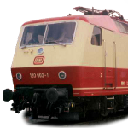
Ist die BR 189 Spieler oder KI-Lok ?
Ich verwende die 189-Repaints für den KI im Quickdrive. Kann ich bestätigen: Dort keine Probleme
(zumindest bei denen von ICE - für RD-Repaints habe ich Patches bereits fertig - kommen noch)
Beiträge von 120
-
-
Kommentar zu @Torsten Figura: Wenn Dir der Umgebungs-Sound im Cab einer bestimmten Lok zu laut ist, dann ist die CabOcclusion.xml falsch eingestellt.
Dabei ist für die Dämpfung hoher Töne :
<Occlusion d:type="sInt32">-2200</Occlusion>
(kleinere, d.h. stärker negative Werte schirmen das Cab mehr ab.)und für die Dämpfung tiefer Töne
<OcclusionLFratio d:type="sFloat32">0.35</OcclusionLFratio>
zuständig."OcckusiobLFratio" steht im Verhältnis zu der "Occlusion", darf also nur Werte zwischen 0 und 1 annehmen.
-
Ob Dampf oder Rauch ist dem TS egal.
Abwechslungsreiche Dampf- oder Rauchsimulation bekommt man nur, wenn der Ausstoß Skriptgesteuert ist.
Die Ludmilla hat meiner Erinnerung nach 6 verschiedene Emitter, die je nach Leistungsstand des Motors unterschiedlich viele mit unterschiedlicher Farbe und unterschiedlicher Geschwindigkeit ausstoßen.
Hierzu aus den Devdocs, HowtouseEngineScripts.pdf :3. Calling Convention
To call a code function in LUA, the convention is to use the Call function.
Call( "SetControlValue", name, index, value );
To call a function on a child object:
Call( "Main Smoke Stack:SetEmitterColour", r, g, b); <----------
The name is first and function is separated by a single ":"
To access the first matching child a wildcard "*" can be used.Ansonsten kann man nur mit den Einträgen im Blueprint spielen.
Hier mal ein Ausschnitte aus dem Blueprint von Class 66 / BR266 Repaints (mir ging es in erster Linie um eine Intensivierung der Rauchfahne):XML
Alles anzeigen<EmitterComponentBP> <cEmitterComponentBlueprint> <_iMaxParticles d:type="sInt32">1000</_iMaxParticles> <_sEmitterProperties> <sEmitterBPProp> <_iParticlesToRelease d:type="sInt32">1</_iParticlesToRelease> <_iParticleEmissionRollOffRate d:type="sInt32">0</_iParticleEmissionRollOffRate> <_fTimeBeforeRestart d:type="sFloat32">0</_fTimeBeforeRestart> <_bRestartEmitting d:type="cDeltaString">eTrue</_bRestartEmitting> <_vInitVelocity> <sVector3> <X d:type="sFloat32">1</X> <Y d:type="sFloat32">2</Y> <Z d:type="sFloat32">-1</Z> </sVector3> </_vInitVelocity> <_vGravity> <sVector3> <X d:type="sFloat32">0</X> <Y d:type="sFloat32">1</Y> <Z d:type="sFloat32">-1</Z> </sVector3> </_vGravity> <_v2Spread> <sVector3> <X d:type="sFloat32">1</X> <Y d:type="sFloat32">1</Y> <Z d:type="sFloat32">-1</Z> </sVector3> </_v2Spread> <_fEmissionRate d:type="sFloat32">0.025</_fEmissionRate> <_fVelocityVariance d:type="sFloat32">1.5</_fVelocityVariance> <_fResistanceFactor d:type="sFloat32">1</_fResistanceFactor> <_bIntense d:type="cDeltaString">eTrue</_bIntense> </sEmitterBPProp> </_sEmitterProperties> <_sParticleProperties> <sParticleBPProp> <_bSwitchColor d:type="cDeltaString">eTrue</_bSwitchColor> <_bIsMesh d:type="cDeltaString">eFalse</_bIsMesh> <_HcInitialColor> <cHcColour> <Red d:type="sFloat32">0.75</Red> <Green d:type="sFloat32">0.75</Green> <Blue d:type="sFloat32">1</Blue> <Alpha d:type="sFloat32">0.05</Alpha> </cHcColour> </_HcInitialColor> <_HcMidColor> <cHcColour> <Red d:type="sFloat32">0.75</Red> <Green d:type="sFloat32">0.75</Green> <Blue d:type="sFloat32">0.9</Blue> <Alpha d:type="sFloat32">0.05</Alpha> </cHcColour> </_HcMidColor> <_HcFinalColor> <cHcColour> <Red d:type="sFloat32">0.8</Red> <Green d:type="sFloat32">0.9</Green> <Blue d:type="sFloat32">1</Blue> <Alpha d:type="sFloat32">0.025</Alpha> </cHcColour> </_HcFinalColor> <_fPercSwitchToMidColor d:type="sFloat32">0.7</_fPercSwitchToMidColor> <_fSpin d:type="sFloat32">1</_fSpin> <_fSize d:type="sFloat32">0.25</_fSize> <_fFinalSize d:type="sFloat32">1</_fFinalSize> <_fLifeCycle d:type="sFloat32">2</_fLifeCycle> </sParticleBPProp> </_sParticleProperties> <_bRandomizeTexture d:type="cDeltaString">eTrue</_bRandomizeTexture> <_texID d:type="cDeltaString">DTG\MRCEDispolokPack01\Particles\[00]Smoke2</_texID> <_iRowColumnSize d:type="sInt32">5</_iRowColumnSize> <_fFrameSwitchTime d:type="sFloat32">1000</_fFrameSwitchTime> <ShaderName d:type="cDeltaString"></ShaderName> <BoundingRadius d:type="sFloat32">0</BoundingRadius> </cEmitterComponentBlueprint> </EmitterComponentBP>Am meisten hat das Schrauben an Velocity, Spread, Gravity und VelocityVariance und natürlich der EmissionRate etwas gebracht.
Die Farben mußt halt anpassen. So recht gravierende Unterschiede ergaben sich nicht, nachdem ich eine eigene Textur verwendet habe.
Initialcolor läßt sich deutlich von MidColor unterscheiden, jedoch bin ich mit dem Unterschied MidColor und FinalColor unzufrieden. Kann aber auch am Skript der Diesellock liegen.Kris
-
@nobsi Ich denke er meint, ob es nicht einen Patch gegen das Hallen in Tunnels gibt.
Dieses stammt meiner Erinnerung nach von den Soundproxies in Kuju.
Kann natürlich auch eine anderes Produkt sein, in das diese Dateien kopiert wurden, @joha1192 hat sich ja, wie es so Unsitte ist, unklar ausgedrückt.Nachforschung:
War übrigens schon früher öfters mal Thema:
EFX Sound
Ich darf auch Dich @nobsi zitieren :
:
Road and Rail Sound Enhancement Pack
Gibt es das angesprochene Paket noch ? Ich konnte keines mehr finden.
Prelli hat dann noch in dem anderen Thread (Link im 2. post) eine Lösung aufgezeigt, wie es gehen könnte.Guten Morgen
Kris
-
@StS Beim Quickdrive erstellen habe ich bemerkt:
Verwendet man für die KI Marker, die zwischen den Signallinks liegen, so gibt es bereits Probleme (hin- und her fahrende Züge, Blockierungen..., konkurrierende Züge misachten z.T. besetzte Gleise, fahren riesige Umwege).
Dieselbe Konstellation funktioniert 1A, wenn man diese Marker weg läßt.
Beispiel:
Auf der Hagen-Siegen 3 bei der Siegen-Geisweid Nord- und Südausfahrt, dann gleich auch am nächsten Abzweig nach Kreuztal-RBf.
Und diese Strecke ist sehr gut signalisiert!@Schienenbus, @Prelli, @derdoctor, @Barrett, @Freeskai, @kstdija, @bahnjan, @Maik Goltz
Deshalb: Am besten gleich beim Streckenbau keine Marker zwischen den Links setzen.Grüße
Kris
Nachtrag für Prellis Beitrag oberhalb: Es geht hier nicht um simpel-KI, bei der der TS einen Zug nur von A nach B führen muß, sondern um zeitkritische Kreuzungen und Verfolgungen.
-
No, you have to create the necessary consist-files by your own (so far
) -
@Phil_ Nein, der Aufruf von Railworks64.exe per Steam funktioniert nicht. Das ist ein Aufruf via ein Netzwerprotokoll, bei dem die Adresse vermutlich nicht richtig eingestellt ist. Deshalb geht auch immer der direkte Aufruf von Railworks64.exe (mit und ohne richtiges Audio).
Also Leute, gut lesen: Legt eine Verknüfung auf dem Desktop an, die die Datei Railworks64.exe direkt aufruft.
-
In fast jeder Lok gibt es hierzu einen Ordner "Lights" (ist aber nicht standardisiert)
-
MINT= Mathematik, Ingenieurwissenschaft, Naturwissenschaft, Technik
sorry, mein Browser zeigte Cotten Eye Georges post nicht an.
-
@nobsi Da sieht man halt, wer Gamer ist und wer aus der MINT-Ecke kommt
-
@Trainsa: Das sind Quickdrives mit KI-Zügen die den Spielerzug stoppen.
Wenn man dann noch die meisten KI-Züge mit einer Wahrscheinlichkeit kleiner 1 fahren lässt, dann kann man bei jeder Fahrt unterschiedliches Erscheinen der KI simulieren. Auch wird man dann nicht jedesmal am gleichen Signal gestoppt. Das erzeugt einen erheblich realeren Eindruck als die allermeisten Quickdrives, da man bei ihnen fast immer vom Start bis zum Ziel durchrauschen kann.
Meiner Meinung nach sind solche Quickdrives auch abwechslungsreicher als Standardszenarien, da letztere immer gleich ablaufen.
Nur Rangieren kann man in Quickdrives nicht sauber durchführen (man kann als Spieler natürlich herumstehende Consists ankuppeln, sofern man die Gleise auf denen diese stehen erreichen kann, aber per Anweisung geht da nichts). -
@Ruebe: wenn Du kein Backup hast befürchte ich: JA.
Ich schreibe "befürchte", da mir das noch nie passiert ist (nicht zurückspulen).
Und Backups mache ich nach JEDEM Abspeichern. Fein säuberlich mit Versionsnummer.
Ein weiteres "befürchte": Der TS wird es Dir selbst beibringen. -
TSC ist eine Einzelperson.
-
Meiner Meinung nach darf ein Gemeinschaftprojekt sich nicht aufsplittern, sondern muß einen gemeinsames Dach besitzen.
Es muß nichtkommerziell orientiert sein und dem Ziel dienen, daß Andere etwas lernen und mit beitragen können.Auf den TS bezogen hieße das: Ein einziger Provider !
Wo gab es das je ?Warum bisherige Projekte keine echten Gemeinschaftsprojekte sind sieht man am Fehlen der ...
- Lizenzen, die Veränderung gestatten und gestatten diese Veränderungen weiter zu geben (erlaubte kommerzielle Nutzung muß aber nicht sein)
- Sourcen, also z.B. Blender-Dateien und lua-Skripten, müssen beigelegt werden (natürlich ohne Pflicht zur Installation)
Beispiele: Sound-Blueprints versteht man viel besser im BPE. Out-Dateien kappiert niemand. Wie soll man da lua lernen ?Bei Software gibt es das. Und nicht nur bei Linux.
Da bin ich sehr skeptisch für die Zukunft, so wie das bisher gelaufen ist.
-
Ruckler kommen eigentlich nur von schattenwerfenden Lichtern.
Das 100m diffuse ist eigentlich kein Problem, nur würde ich es eher sparsam einsetzen, da es alles hell macht. -
Musste mal etwas anderes als Class 66 fahren.
Wie in den letzten Wochen Probefahrt ab Finnentrop im kommenden Quickdrive.
@Gainmaster und @RolliWolli: Merci vielmals für den Sound. -
Sehen kann man solche kurzen Änderungen in den Gleiseigenschaften schon, nur muß man ganz nah ran um sie erkennen zu können.
Hier ein Beispiel mit ungewollten Geschwindigkeitsänderungen.Die Montafoner Bahn ist ja nun nicht allzu lang.
Markiere mal überlappend Abschnitte von 1-2 km. Also so, daß Du garantiert keinen Abschnitt übergehst. Achte dabei auf die Elektrifitierung. Dort wo sie
Alles Quatsch :Habe gerade einen Selbstversuch gemacht: Stromloser Abschnitt von ein paar cm an einer Weichenspitze:
Das wird im Editor als elektrifiziert angezeigt, obwohl es nicht durchgehend elektrifiziert ist.
Da hilft nur die Methode à la StS !Kris
-
Es ist vollkommen egal welche Gleise Du verwendet hast. Einzig wichtig ist ob die Gleise DURCHGEHEND die Eigenschaft "elektrifiziert" (Schwarzer Pfeil auf weissem Grund) tragen.
Und zwar auch keinen Millimeter anders !
Ich hoffe das war deutlich genug.
Siehe Link bei STS Beitrag. -
Ist das ein "Vorfahrt achten" unter dem Ra10 ?

Bin schon weg ...
-
@Schuster Als Streckenbauer kann man diese Variante mit "Stopping=False" leicht selbst erstellen. Ich bin auch der Meinung wie @bernd_NdeM, daß Du das erst mit dem nächsten Update reinnimmst. Es wäre nur nett, wenn Du den Namen des Blueprints mitteilst den Du verwendest, dann gibt es keine unnötigen Signalvarianten mit gleichen Eigenschaften gibt.
Merci
Kris