Beiträge von Forza Gamer 777

Discord Einladung
Trete unserem Discord-Server bei (klicke hier zum Beitreten).

    I can tell it from my own Project:

    What’s funny is that I first looked at this project, and then I saw yours and read all the comments there. In my opinion, yours is the most serious and well‑developed version of all of them. It’s an incredibly cool story overall - thank you all so much for this. It’s absolutely crazy that you, Fred, took on this. I hope the rework turns out as awesome as your Scania did.
    Overall, it’s still Open Source, Nick can just wait until you finish working on the kernel changes, and then start focusing on the graphics - so that everyone’s happy.

    Actually, if this whole thing with the engine overhaul gets off the ground, then, to be honest and objective, graphics are practically the last problem TS. The main issues are with the physics engine (for example, the well‑known slow sliding of a train at speed 0 with brakes applied) and with loft objects (breaking bends, curved tools, and other “charms” of the editor). The only thing that really annoys me about the graphics is the very low resolution of the landscape textures (something like 512*512), which turns everything into a hellish mess when you zoom in. After fixing these issues, it would make more sense to focus on object culling so that objects load more smoothly and without such severe stutters.

    All of this will have a much greater impact on the popularity of the new engine overhaul, and, in my opinion, people will support it incredibly actively. I understand that you’re mostly a 3D artist and it’s easier for you to work with graphics.
    This isn’t some kind of list of requirements; these are just my dreams and wishes. If you’re going to add more modern graphics, then you should also use more modern DLLs and codebases, which in themselves can already improve performance. So, in any case, it’s great that people have started thinking about this and trying to somehow extend the life of TS, because it’s literally the only product on the market that has a lot of playable content and its average quality is quite high.

    I simply couldn’t accept that the current and very simple implementation of the SFS tunnel is far from being a truly adequate and realistic solution. I won’t go on and on about it; just the bare facts.
    The speed limit on the SFS junction are now 160 km/h (with a radius of 3800 m). Once I’ve finished rebuilding the rest of the line, the entire section from here up to the military base will have a speed limit of 160 km/h, rather than 140 as it is at present.


    The approach to SFS is now very smooth and with 200 km/h limit (thanks to superelevation with a radius of 1620 metres)


    The entrance to the tunnel from the Bad Rinckenstadt side now runs through one of the tunnels that previously existed in IKB3. Yes, I did realise that building another tunnel would be rather silly when there’s already one ready and waiting right next door. But the problem isn’t so much that, as the fact that creating a proper track junction with so many exits (two with superelevation and near curve) and a damn bridge was very difficult under TS editor limitations.


    That’s exactly why I’ve reworked this bottleneck for the third time. Now the line on SFS has points set for 80 km/h (radius 780 m), whilst in other places I’ve tried to set them to 50 and 60 instead of the previous 40 everywhere. That said, once again, I had to be a bit creative with the positioning of the points and the track layout, as TS doesn’t handle English points very well.


    If we look at the TS restrictions in more detail, then:

    Ideally, I had planned to use a single English switch here to replace the transition from the left track to the right, which is at the very bottom of the screenshot. But TS simply cannot configure it properly in this situation in the way I need. I had to make some compromises.


    Ideally, there should have been two more full-size English switch here, but there simply isn’t enough space to generate them procedurally.


    On the other hand, any issues with English switches are offset by the fact that, in practice, engineers try not to overuse them, as they are considerably more expensive and more difficult to maintain.
    With the current rework, it’s no longer possible to head straight out onto the suburban line from Track 1; at the moment, the only option is to pass through Rbf. I’ll give this section some more thought; perhaps I’ll add some route signals and points there so that trains can bypass Rbf.

    It’s time to talk about a problem that’s existed since the days of IKB3. I’m referring to speed limits.
    As it happens, IKB3 is essentially a paid upgrade and extension of the Altenburg-Wildau line - one of TS’s oldest routes. Naturally, back then people were just starting to learn how to use the editor, so they drew curves by eye and without using superelevation. Later, when developing the extension to Hoch Merzburg, SAD began using superelevation, but the speed limits on some curves were still too high. As for the Altenburg-Wildau section, the speed limits there are very dangerous in some places. And it's very noticeable. On curves like these, the trains' wheels screech loudly against the rails, and the camera in the cab is shaken violently. Visually, it all looks very dangerous.
    Take Koebler Wald, for example, where a curve with a radius of 288 meters has a speed limit of 80, even though this limit is practically the maximum achievable even with superelevation (the sum of the rail elevation and the elevation deficit is 263, which barely fits within the 290 standard). In reality, without superelevation, you should expect a maximum speed of 60 here. And there are many such spots along the route, especially in the areas of the old Altenburg-Wildau route. Relocating tracks with superelevation is one of the most thankless tasks in route construction, so I definitely won’t be doing that. There would be far too much to rework later - it’s a titanic amount of work. But since I want everything on my route to be realistic and safe, just as you Germans like it, I’ll lower the speed limits on these dangerous curves.


    Koebler Wald is limited now to 60 because of two very sharp curves and the short distance between them; there’s no point in setting the speed limit to 80 at the station itself - the trains won’t even have time to reach that speed.


    And the section further on toward Bad Rinckenstadt is now almost entirely limited to 70 and 80 km/h, since it was by no means suitable for 100 km/h given the existing curves.


    Following this logic, I have already set speed limits on virtually all of the route’s sharp curves. Yes, this will slow down regional traffic a bit, but it will significantly improve safety for all trains on the lines.

    I especially had to limit the curve at the entrance to the SFS in the tunnel (from freaking 110 to 70). I had initially set the limits there on a whim, since I didn’t know many of the finer details. Now, however, everything there matches the real design. Overall, I really don’t like this tunnel very much. It’s very crooked and needs to be redone; maybe I’ll get to that later.

    Damn, it turns out the solution was right under my nose the whole time. At first, I thought the dummy signals from the ST package acted as separate signals and would interfere with traffic, but no. They do exactly what I wanted them to do in the first place. With them, you can divide the switch area and all the speed limits associated with it.


    Links from dummy


    Links from HS


    Additional information. Further analysis of the script system’s behavior revealed that the introduction of intermediate virtual signals completely disrupts the Zs3 rendering, which was quite obvious. Therefore, it is impossible to avoid the “engine’s” limitation using existing methods. That's too bad. I'll certainly deploy Zs3 with the new restrictions, but they won't affect how the engine displays those restrictions.

    So in your case using the Zs 3 from the signals may be the best option. Also the links you placed are correctly. Any AI driver will ignore the allowed speed limit from the link of the signal and will always use the speed of the track itself. For any player the visible signals on the track are mandatory and not the speed limits in the HUD. So best option here is placing a Zs 10. You may find an example for the use in the track Konstanz-Villingen. Dont know where exactly so please go on and search.

    I understand all that perfectly well. In reality, there are many ways to indicate that a limit has been lifted. I wanted to reset the specific limit that the engine displays on the HUD - not the one on the track profile bar, but the one shown below the current speed (on the image).

    It’s just that if you ignore this internal limit, the game will count it as speeding. I wanted to find out if it’s possible to get around that specific one. Obviously, you can always just ignore these warnings if you’re not playing in Career mode.

    Here’s an example. We get a limit of 40 from Zs3. At the same time, the HUD even displays a future limit of 120 (due to the physically placed Zs3 in the path).


    However, when passing through Zs3, the speed limit in the simulation does not change, since Zs3 Form does not overwrite the limit imposed by the signal before the link.


    This is exactly the situation I want to fix, if such a fix exists at all. I studied the Nachteburg - Rannstadt route too (Konstanz-Vill with HV is a bit old and not KS); there, Zs10 is used where the signal‑based links have already ended. For this purpose, even shunting signals are used there, which is not entirely correct, as the AI may move onto the main line for this shunting signal ahead of time, and this will have to be restricted using invisible blockers or triggers.

    Since I’m actively developing IKB4, I’ve run into a situation during the development process where the links from the signals need to be placed much farther away than the point where it makes sense to stop the speed limit from Zs3.
    After studying the issue in detail, the only way to do this at the moment (as I learned) is to move the links to the end of the first switch ends, where the speed needs to be redefined. And immediately after these switch ends, install virtual signals. But in this case, traffic will spill into the rail bottleneck and block other paths.


    To be more specific, I have an exit Ks with a limit of 40 across both outputs.


    The station is designed in such a way that the links need to be placed very far from the signal itself, in places where the 40‑km/h limit is no longer needed. As a result, trains have to crawl along at a speed of 40 for a very long time.


    Ideally, I would have to set Zs3 roughly like this, and that’s it - the train leaves the switch zone and can go 120. But in reality, this signal cannot override the speed limit set by the signal, meaning the engine still maintains the 40‑km/h limit until the train passes the link from the signal.


    All I want is to understand how to make Zs3 actually affect the speed limit from the signal. As far as I understand, the scheme with virtual signals is very complicated and can break the entire signaling system in terms of how it works with traffic.

    Einfahrsignale stehen aber nur im Regelgleis auf der rechten Seite, im Gegengleis stehen sie normalerweise links.

    Grunsätzlich stehen: Signale in Bahnhöfen alle rechts , auf der freien Strecke im Regelgleis rechts, im Gegengleis links.


    Danke trotzedem für das Mega Update und deine Mühe :)

    Yes, I know that. Like Vsw's on the screenshot. Vsw's is located inside the station; there’s no distinction between main and wrong line here, so all signals are set on the right. Since there’s no space for a signal in the area between the tracks, I installed a sign indicating the signal’s position. Almost along the entire route, it is possible to place the entry signals on the right side due to the presence of a signal bridges, so the signals will be positioned in the most appropriate location. But in some places, I used a chessboard. Often, placing the entry signal on the left is done to conserve resources, so as not to have to build an entire signal bridge. But I like them way too much *shau*

    Well, then. What started out as a simple bug fix has turned into a full-fledged new patch. There are so many changes again that I’ll just get tired of translating the changelog from my language into English. In addition to what I planned to work on in my last post, I’ve added various switch mechanisms with prototypical numbers and replaced the guard rails along the entire route. I’ve become really interested in studying junctions, so I wanted to add a dash of realism to my route as well.

    In addition, I’ve now fully completed the transition from CMD to 143er; all Ls signals are now from a single package, and the CMD package is no longer needed. I'm still experimenting for now, but in the long run, I plan to add more Ls signals to enable full-scale shunting operations at large stations. So far, I've only added them to Altenburg Nord


    I also finally managed to fix the Zs3v in the Bad Rinckenburg tunnel. All I had to do was add a Vsw. I could have left it as a fake - that is, hidden it underground so it would serve only as a scripted link for the indicator - but after thinking it over, I decided that a real version wouldn’t be out of place given the limited visibility and speed limits on the branch: 120 km/h on one side and 100 on the other.

    My work has taken much longer than expected, and I’ll have to be away for a week, but I have a feeling I’ll be able to release the patch in Octo(Novem)ber.

    Well, then. This is likely going to be a very long post.


    After the release of the latest update, I started doing some additional bug hunting. gleisente helped me find many of them. These included mixed-up Links settings - where the main track showed Sh1 while the siding showed green/yellow - as well as missing Zs3v signals, an insufficient number of Vs, 500 Hz magnets that hadn’t been removed, and various other minor issues.

    After checking various glitches, I felt a strong urge to add more realism. I began to study the operational schematics of the Lf7 and Zs3 in more detail, as well as their differences in operation. To do this, I even installed TSW so that (albeit with some glitches) I could explore various new real-world routes and methods for implementing signals and signs. I also tried bombarding Google Gemini with queries so it would search German sources for information and translate it for me.

    After gathering a ton of information, I began making additional adjustments to the route. These included new Lf7 signals in various locations (which were also missing in IKB3), as well as an absolutely incredible number of extra 500 Hz signals (which were also in IKB3) on tracks with a speed limit of 40 km/h, and errors regarding Zs3 (where in IKB3 the speed limit for the branch line was set via Zs3, not via Lf7).
    I also began implementing Ra12 and axle detectors, which in reality have replaced the track circuits.


    On top of everything else, I started delving deeper into the rd signal variants, which will now be used more frequently on the route alongside VrX trigger.
    In the screenshot, you can see how the VrX trigger can be used to turn off the white “rd” light for the side tracks, where there is more than enough braking distance and the additional indicator is misleading.


    Almost all of the main signals along the route are currently configured without the “rd” function; I am gradually correcting this, taking into account the braking distance, in accordance with official DB documentation.

    I almost forgot to mention that there will be more “Halt” signals along the route at major stations for EMUs and DMUs of various lengths. 140 meters - a double-unit BR 425. 90 meters - the length of a 4-car Mireo. All other EMUs are shorter than 90 meters. For a double Mireo train 180 meters long, adding these signs in some places doesn’t make sense, since there’s very little distance left to the end of the platform.


    And finally, I sorted out the layout of the input signals after learning that they are placed strictly on the right; if that’s not possible, a checkered plate is placed where the signal would normally be on the right, and the signal itself is placed on the left. Before, I didn’t fully understand this concept and sometimes just copied what was previously in the IKB (which was incorrect in some places).

    Forza Gamer 777 - I have a question. Is it possible to built a new Station near the shunting yard at Altenbirg Nord. This partt looks so empty. Also nice is a a track switch on the speed line between Algenburg and Bad Rinckenburg.


    And my biggest wish is super elevation on the old tracks between Altenburg - Könlitz and Bad Rinckenburg. So the speed on the old line could be higher, from 120 km/h to 140 km/h.


    Greetings Marcel.

    That would be awesome. The station can still be built, but getting involved in the already existing tracks and restructuring everything is a very risky and incredibly difficult task. Right now, I don’t have anything even close to such plans; maybe in a couple of years I’ll want to make some major changes again. For now, I want to polish the route to its ideal, workable state by testing scenarios and getting feedback.
    In any case, I won’t be doing any large‑scale reconstruction for now, because one of the people here has already volunteered to rebuild Hosvenn and bring it up to a more modern, yet still museum‑like state. So we’ll see in the future.

    P.s. Overall, I wouldn’t mind rebuilding a lot of different places myself. Because in IKB they’re made using strange TrackRule. But all my additions of tracks also turned out crooked because I had to combine the new with the already built ones, and the already built ones had many breaks and joints (red triangles), which sometimes make it simply impossible to build a path at a normal angle or create a switch.

    Update is live.
    I hope this is the final one (like ICE4 *=)* ) in terms of changes. Please let me know about any inaccuracies you find; I’ll be sure to correct them. I haven’t checked the QD; they were supposed to still work, but one person recently said in the comments that they don’t. Actually, I’d be very happy if someone came along who could get them up to par

    While making the final adjustments, I noticed that the power supply for the overhead contact wires in Koeblitz is set up in a very strange way. The main line leading to Bad Rinckenburg is split almost immediately by a neutral insert, while the line to Wildau remains unsplit. Furthermore, there is a separate transformer at Wildau itself that powers the catenary system. Therefore, I decided to add a neutral insert with a backup switch at the beginning of the branch. Under normal conditions, the branch to Wildau is powered by a relatively weak transformer at the station, but if it fails, the branch can receive backup power from Koeblitz.


    Additionally, after inspecting the power distribution on the SFS, I realized that the current SFS branch between Altenburg and Bad Rinckenburg should ideally be separated by a neutral inserts and powered separately, since high speeds and busy traffic require a large power supply. The SFS is approximately 20 kilometers long, which perfectly meets the requirements for a more powerful power supply. Therefore, there will now be two neutral inserts located at the beginning and end of the SFS. Ideally, another neutral section should be added after the SFS toward Hoch Merzburg, since both the SFS and the winding commuter line are powered by a single power source, and the length of the commuter section alone extends well beyond 40 km when measured from Koeblitz. In short, I decided to make the catenary system even more interesting and realistic.

    I was finally able to test the scenario from lacerda1303 on my new version of the route. For some reason, one LINT at the Bad Rinckenburg station (in tunnel) broke down and stopped moving anywhere. And it seems that this error “broken consist” appeared because of it. I removed it from there, and the scenario became fully functional (without this fix, I caught an AI collision, FLIRT crashed into LINT in that tunnel). While going through it, I fixed a bug with the signaling at the SFS siding, where Zs3 shows 14, even though it shouldn’t show anything, and I also added a missing wire in the Hoch Merzburg depot.


    The scenario itself is simply magnificent; I really liked it. But I have the feeling that it’s overly congested with traffic, which is why it loads with great difficulty (I have to fly the camera along the entire route just for this scenario to load at all. This has never happened before; usually, flying the camera where the scenario just begins is enough).
    For some reason, all the LINTs from the free package shine their headlights in both directions, causing additional lags because their light casts incredibly unoptimized shadows in TSC. Moreover, if you remove Talent 2 from Hoch Merzburg - which is one of the least optimized TSC models - and LINT with headlights on near depot, the scenario loads much more easily and the FPS in this area increases significantly (24 instead of 14 on my system with 9700x and 5070).
    I didn’t delete any moving traffic; I only adjusted two LINTs (one in Hoch Merzburg and one in Bad Rinckenburg which causes an ai collision) and Talent 2, and the results turned out to be stunning. I checked the LINT installation, and it’s completely clean, so the issue with the headlights is caused by something I can’t influence.

    Ich bin gerade dabei, einige Routenszenarien für Großbritannien fertigzustellen, und wollte mich danach wieder daran machen, weitere meiner IKBv3-Szenarien für IKBv4 anzupassen. Kannst du mir aber sagen, ob die Arbeiten, die du an der nächsten Version der Route durchführst, dazu führen könnten, dass Szenarien, die für die letzte Version erstellt wurden, nicht mehr funktionieren?

    I think I answered this question before. I can say that the placement and names of the markers haven't changed at all. Yes, there were some minor tweaks to the signals, but that shouldn't break anything. It's just meant to fix a few bugs.

    I could release it today, but starting today afternoon, I'm going on a short vacation for a few weeks and won't have access to my computer. If I released the patch and someone suddenly found a critical bug or some missing files, you’d have to wait for me for those very few weeks. Instead, I’d rather wait a little while now, and then, once I get back home, I’ll release the patch and maintain it.

    As of now, the changelog looks like this:


    And here’s what I was talking about earlier. I started working on various small details along the entire route. In some places, I made minor changes to the vegetation; in others, I adjusted the platforms; and in still others, I added noise barriers. As the platforms were replaced, it was also discovered that most of them had previously interfered in the track gauge; this is naturally being corrected as that problems are identified.


    The Marienbrunn platform was also extended by 20 meters, and the surrounding area was slightly enhanced with various features (a playground, a bus stop, trash cans, etc.).


    In short, work is underway on several fronts at once. In any case, since I’m working alone and the route includes many location-specific assets, it’s not possible to change some platforms, stations, or signs, but I already mentioned this in my previous post. Wherever changes are possible, I try to make them. For example, at several train stations, the signs warning against falling off the edge of the platform have been replaced with higher-resolution versions. The same applies to clocks, ticket machines, trash cans, benches, waiting zones, and other small objects, which, while not particularly important, significantly enhance the visual appeal and richness of the route.


    Actually, I'd appreciate any advice on which route(s) or asset packs I could add to my project to use higher-quality fill objects for stations. So far, almost all the fills come from the Konstanz–Villingen route, which has long been a requirement because of its good 2D trees.

    Here are the promised screenshots.
    In summary, the platforms have been replaced and their length has been slightly increased, the roof has been rebuilt, and the wall-mounted clock has been replaced. In addition, compared to the currently available version of the route, the placement of Zp9 and FAZ has been slightly adjusted and improved.


    I haven't changed the lighting yet; I've just adjusted the placement of some of the lights to fit the new assets. The lighting in the base route already looked very nice, so I don't think any major changes are necessary.

    I took a short vacation, and now I’m back at work. I’m gradually finishing up Bad Rinckenburg. After that, I might tackle various suburban stations. I definitely don’t plan on modifying Koeblitz, Hoch Merzburg, and other fairly large stations, because they have too many specific assets that are specially adapted to work together. In Koeblitz, it’s even more complicated: almost the entire station geometry there consists of a single unified object that can’t be recreated using separate assets.

    I'll post more screenshots later; for now, this is the only angle from which the station looks finished :lolx2: . In many places, the lights haven't been adjusted to the new roof position yet, some poles are hanging in midair, and some platforms and fences are unfinished.
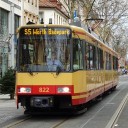
    That's great news, I never understood the speed limit since there have been level crossing barriers all the time.

    The developer probably just really wanted to squeeze something like this in, and it sort of fit with the historical and museum concept of the branch, but given the modern updates, it ended up looking completely ridiculous. Now the branch will look more interesting, with a mix of assets in both the new and old formats, so it’s clear that this part of the route isn’t stuck in the 1930s but is a modern museum exhibit equipped with all the latest safety systems.