


Ahso..., jetzt merk ich auch gerade, das ich mich da weiter oben verlesen habe... 


-
-
Mein Verdacht geht in eine andere Richtung. Der Meldung sagt, RWT kann keinen Wagen gegen eine Lok tauschen. Rechts hast Du schon Loks ausgewählt, aber das Fahrzeug in der Mitte hat vermutlich einen Wagon-Blueprint. VR hat einiges mit seinen Fahrzeugen getrixt, damit die z.B: die Steuerwagen laufen. Ich hab die Dinger fast alle nicht, somit kann ich nicht schauen.
Wenn auf dem Fahrzeug links nicht die Szenario-Symbole sitzen, dann einfach im Szenario-Editor die Fahrzeuge tauschen. Das geht sicher und schnell.
Im schlimmsten Fall. Screenshot von den Szenario-Befehlen. Dann neue Lok drauf und die Befehle von Hand eintragen.
Beim Lok löschen, erst die Befehle, dann die Lok, sonst gibts Empty consists, irgendwann gibts auch Ärger damit, die kann man mit dem Tool auch löschen lassen.
Mike Simpson hat mit seinem Tool schon das möglichste zum Tauschen gemacht. Da RSC ihn nicht unterstützt, ist da halt eine Grenze.
StS -
Hallo,
laut dem Bild ist ja der Steuerwagen "vR-RE-BDnrzf-FB" sozusagen als "Spieler-Lok" deklariert. Was würde denn passieren, wenn der Steuerwagen gegen die Lok getauscht wird. Geht denn das zufällig?
Gruß Sven
-
Da gibts nur eins ausprobieren, ich hab nur das in Erinnerung: Bei fast allen Tausch-Problemen sind vR_Loks oder Steuerwagen dabei.
Wenns geht ist gut, wenn nicht, lassen, damit leben oder eigenes neues Szenario bauen.
StS -
Falls meine Theorie stimmen sollte, dann wäre nämlich die Schub-Lok als Wagen deklariert und der Steuerwagen als Lok. Nur mal so ein Gedanke. Ansonsten stimme ich "StS" vollkommen zu. Ausprobieren oder ein eigenes Szenario.
Aber interessieren würde es mich schon, ob es sich so verhält.Gruß Sven
-
-
Die Idee ist gut, aber trifft leider auch nicht zu, ob ich den Steuerwagen oder die Lok tauschen will -> Fehler.
-
-
Ist eigentlich Quatsch, erstens kann man zB. nicht vorhandenes Rollmaterial eh nicht im Editor laden und zum zweiten dauert das herumfliegen und neu setzen viel länger als in RW-Tools rumzusurfen und sich die Wagen zusammen zu suchen.
Die fahrbaren Stw von vR sind auch Loks und lassen sich nur gegen Loks tauschen. Beim Umbau von alten Steuerwagen-Addon GR-Szenarien musste die Lok gegen den Steuerwagen getauscht werden (RW-Tools) und im Editor dann der alte Steuerwagen gegen eine Lok und zum Schluss den ganzen Zug um 180° drehen, damit man wieder im Steuerwagen fahren konnte.
Das tut ja nun aber hier nix zu Sache.
Wie man das im Endeffekt lösen soll, weiß ich nicht. Dir bleibt in dem Fall wohl nur übrig, rechts in der Liste nur eine Lok zu haben und nicht noch einige Wagen. Dann gehts ja schließlich.
-
Ich will kein neues Thema aufmachen, da es mit Rw-Tools zu tun hat.
Ich möchte eine .dds Datei aufmachen(Reskin zur 218), um sie zu .Tg.PCDx zu exportieren.Dann jedoch bekomme ich diese Fehlermeldung:
Was stimmt denn da nicht?
-
RW Tools wandelt die DDS nur dann um, wenn im Ordner TempDDS eine .xml und .dat des Objekt ist. Sind die Dateien nicht in dem Ordner, gibt es diese Meldung.

-
-
Ich mache das immer mit den RSBinTools. Wäre das für dich eine Alternative?
-
Hatte ich gestern geladen, aber..., mir wird dieses Add-On zur .DDS Bearbeitung nicht angeziegt, trotz aktivierung.

-
Mit RSbinTools gehen aber nicht alle Texturen zu öffnen, ebenso wie inzwischen mit RW-Tools.
Zum Umwandeln mit RW_Tools: Texturdatei öffnen und zu DDS konvertieren. Das liegt dann alles im Temp-Ordner von RW-Tools (im RW-Tools Verzeichnis). Die zurück zu konvertierende DDS-Datei muss sich ebenfalls im Temp-Ordner befinden und den Namen der Originaldatei tragen. Nur so kann die DDS zurückkonvertiert werden.
-
Im Ordner der RSBinTools müssen folgende 2 Dateien enthalten sein:
\Addins\DDSTool.dll
\Addins\DDSTool.Util.dll -
-
-
Machs anders. Kopier eine vorhandene .TgPCDx und tauf die um.
Dann mit dem RSbintool die dds. in die TgPCDx importieren.
Ist weniger nervig und funktioniert sicher, wenn die Einstellungen der .dds passen. Meist DXT1 und mit Mipmaps.
StS -
RSbinTools geht aber nur für Texturen mit explicit_alpha-Kanälen. Bei interpolated_alpha ist sonst Essig mit RSbinTools. Ansonsten geht RSbinTools besser und arbeitet schneller. Mit RW-Tools hat man allerdings eine breitere "Bearbeitungspalette" und es wird automatisch ein Backup erstellt, man muss sich nicht vorher erst eines selber machen. (Ich kopiere bei RSbinTools immer vorher den kompletten Textur-Ordner als Backup)
Was die Dateien im Temp-Ordner angeht: Den Ordner leere ich immer komplett vor dem öffnen einer neuen Textur. Hast du eine neue Textur geöffnet, liegen darin 4 Dateien. Je 1 bin, dat, xml und dds. Die DDS kannst du bearbeiten und speichern, oder eine vorhandene (bearbeitete) einfügen und die vorhandene überschreiben und dann wieder zur alles Texturdatei zurück konvertieren.
Man muss sich aber (außer bei alten Modellen) in Zukunft dran gewöhnen, das man beide Programme nutzen muss, da man die einen Dateien nur mit RSbinTools öffnen kann, aufgrund ihrer Bildgröße und andere aufgrund des Alpha-Kanales nur mit RW-Tools. Es gibt auch Dateien, die gehen mit keinen von beiden Programmen zu öffnen. Diese Dateien kann man nur bearbeiten, wenn man tricksen kann.

-
hi, ...
RSBinTool kann es nicht lesen und RWTools kann nicht 2048x2048
komprimiertes interpoliertes Alphaformat zurück kompromieren (nur 1024x1024), dafür gibt es aber auch mittlerweile einen Ausweg.
Quelle: UK Trainsim Forum
http://forums.uktrainsim.com/viewtopic.php?t=129648
Zitat: @bdy26
The HC_IMAGE_FORMAT_COMPRESSED_INTERP_ALPHA textures can still be reskinned using RWTools provided they are no larger than 1024 x 1024. I understand that RWTools renames the references allowing these new form of texture to be converted to .dds that can then be edited in Photoshop using the NVidia plug-ins. (I'm assuming the same can be done with GIMP, but I've always had and used Photoshop).
The 2 issues with the new format are (i) the preview function in RWTools doesn't function and (ii) the alpha channel (the bit that controls visibility or reflection in game) still shows in its weird state.
This isn't a problem as the alpha recompresses correctly using RWTools. It is still possible to alter the alpha channels of these textures to a limited extent, and in most cases this will be sufficient. Generally, I find the RSC alpha channels to be too bright and are too reflective in-game, particularly for any weathered version.
This is how I go about it:
Convert the .tcpdx texture to .dds with RWTools and send to photoshop. I then duplicate it and save as a .psd file as my working document - reskinning always takes a few times to get in game to get the colours right and find all the bits on the locomotive and you want to keep all your layers intact (my last 66 skin had about 110 layers!)
In photoshop, I copy the alpha channel to a new layer, then add another layer filled with a dark grey, and set the blending mode to multiply and alter the %. Typically I use about 50% but it depends on what you're trying to achieve. Merge the 2 layers, which will just be a darker version of the indecipherable version.
To get back in game I send the texture to the editor again, select all layers from the .psd then shift + drag the relevant layers across to the .dds (i.e. not the alpha layer) and copy and paste the darkened alpha layer into the alpha channel of the .dds, then flatten the image and save, selecting the correct compression format (usually DXT3 with 9 mipmaps), and recompress with RWTools.
2048x2048 textures.
This is where we have a problem now. RWTools is limited to 1024 x 1024 textures as it uses Kuju's serz.exe, which converts bin to xml and back again. A number of creators use 2048 x 2048 textures - Digital Traction have long done this, but RSC have done so with the new Class 66 (and possibly others - I've not looked) but this may be something they will do in the future so I expect we need to get used to it. Previou### I had used Ben Law's RSBinTools, which could handle the larger textures as it doesn't use serz.exe, but I just get error messages with the new texture format and manually editing the texture file in notepad ++ or RWTools back to the old format again throw up errors. I don't know if there are any plans to update this.
Here's my method of getting round this:
You're going to need a method of saving files as .ace. There is a photoshop plug in available from RSC at http://www.railsimulator.com/support.php and also a standalone ace conversion utility - see "Art Plugins".
Use RWTools to uncompress the texture file and send to the editor. Serz.exe will compress it, but will not recompress it. Save as a PSD and do your work.
The biggest problem is you're going to have to make your own alpha channel, as the indeciperable alpha channel in game will give a horrible speckled mesh effect all over the locomotive. As part of my reskinning, I generally regress the original texture back to grey, preferably 128, 128, 128 RGB which is perfect for applying colour by layers set to overlay. In doing this, I have a suitable base to make a new alpha channel. If that's too complex for you, in many cases you could copy the main texture, desaturate it and darken it, perhaps with a very gentle gaussian blur filter applied and it will look reasonable.
Once you've got it as you want it, duplicate it, flatten the image, and save it or convert it to [filename].ace The photoshop plug in takes a bit of time to save even on my rig.
To get it back into the game, you're going to have to... (and take a seat, this may be difficult) Use the Blueprint Editor. *cue dramatic music".
In your railworks folder, there is "utilities.exe" which will bring up something that looks familiar as the launch screen to RW2. In the tools and docs tab, click "source folder" which will open a window at Steam\SteamApps\common\railworks\Source
Within that, you will need to mimic the folder structure (EXACTLY) of the locomotive you're reskinning. For my Colas 66 number 66842, I created folders for Steam\SteamApps\common\railworks\Source\RSC\Class66Pack02\RailVehicles\Diesel\Class 66\Colas_842\textures
(Colas 842 is where I set up the locomotive to be reskinned).
It might be more efficient to copy the folders from your railworks folder to the source folder and just delete all the bits you don't want - just 1 typo will cause this to fail.
Within the textures folder, paste a copy of your .ace texture. This needs to be exactly the same filename as the texture file, save the extension must be .ace
Once you've done that, deep breath and press "Blueprints" and the blueprint editor will open. You should then have a folder on the right called "Source Files" and underneath that will be the folders you've just created. Drill down until you get to your texture folder, and you will see your texture - in this case "class66_main". Right click and export. If you get a message saying "successful build" in the bottom window it should have worked. I have had messages about textures being out of date but still got a successful build message. If you then go to the textures folder of your loco you should then see a new texture files plus some superfluous .cost and .tgt files (that can safely be ignored or deleted).
You may need to clear cache to get it to show in game the first time, but after that subsequent exports don't seem to require it.
If this isn't working, it's almost certainly the folder structure in the source folder isn't right.
I hope that helps - but if there's steps that aren't clear, post below and I will try to better explain, or drop me a PM
Regards
Ben
Zitat:Ende
Vielleicht hat ja Jemand Lust und Kenntnis das Wesentliche zu übersetzen und es ins Wiki zustellen. Für Reskinner ist das interessant.
g'ice
-
Viiiiieeeel zu umständlich....

Das Problem ist bereits mit dem kopieren und umbenennen einer Datei erledigt. Ich weiß zwar nicht, ob das so korrekt ist, aber es funktioniert tadellos.
-
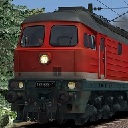
Viiiiieeeel zu umständlich....
Das Problem ist bereits mit dem kopieren und umbenennen einer Datei erledigt. Ich weiß zwar nicht, ob das so korrekt ist, aber es funktioniert tadellos.
Es ist sicher diese Methode gemeint. Mit 2048x 2048 funktioniert es auch?Zitat:UK Train Forum
How bout this?
When you open the TgPCDX file of interest with RW_tools you see this in the 12th line from the top:
<Format d:type="cDeltaString">HC_IMAGE_FORMAT_COMPRESSED_INTERP_ALPHA</Format>
Change it to read this:
<Format d:type="cDeltaString">HC_IMAGE_FORMAT_COMPRESSED_EXPL_ALPHA</Format>
Then convert TgPCDX to .dds, you'll see it works!Zitat:Ende
@uelle:
http://forums.uktrainsim.com/v…t=End+of+Skin%2A#p1596716
g'ice
-

