


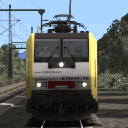
@ES64F4 sage mal diese HVLE 185 - woher hast du die?
Könnte die in meinem Portfolio gut gebrauchen!
Es ist eine Lokomotive TTB KI. Schade, es gibt kein Modell vR.
@ES64F4 sage mal diese HVLE 185 - woher hast du die?
Es ist eine Lokomotive TTB KI. Schade, es gibt kein Modell vR.
Viel Arbeit an diesem Wochenende! Es war notwendig, überall Züge zu fahren! 
 Hallo von der Mosel mit den neuen 3Dzug Waggons.
Und Kleine Wanderungen in Graubünden. 
Hallo seit den Rhätischen Eisenbahnen! 
Hallo aus Graubünden!
Dies ist ein echtes Problem. Ich habe nicht das gleiche Problem.
First, sorry for English translation seems to be wrong for what I have to tell.
I have TSW and run it at max settings and I also noticed that windows look cristal clear. It's about the same if you look in videos. If you look at any picture of a real engine (like BR 185), windows always look dark from the outside and you did not see inside the cab.
I found the clear windows from TSW and also from TS unrealistic. Most time, I darken them for TS.
hallo vom hals der bernina mit dem *kleinen roten*!
Auf einem Spaziergang im Süden von Deutschland und in der Nähe des Bodensee...
Also kein OBB 1216 in der Schweiz. Danke euch allen. 
Danke @Charmed-Life @Schwarzwaldbahner
Ich stelle die Frage, weil ich andere Antworten gefunden habe, indem ich auf Google gesucht habe. Manchmal wird die Schweiz erwähnt, manchmal nicht. Wenn ich OBB 1216 Schweiz suche, kann ich keine Fotos finden.
Ich bin mir immer noch nicht sicher, ob der OBB 1216 in der Schweiz zugelassen ist. 
https://www.railcolor.net/inde…05000&lang=1#.W6EiBotRcuU
In the article, they tell about 3 sub class :
A : D-A-CH-I
B : D-A-SL
C : D-A-SK-CZ
Dies ist keine spezifische Frage bezüglich des HRQ-Modells. Sind OBB 1216 für die Schweiz zugelassen? Vielen Dank im Voraus.
Guten Abend aus Österreich!
Ich habe beide Lokomotiven. Ich fuhr viel mit der BR 152. Als die BR 185.2 kam, wurde sie schnell meine Lieblingslokomotive. Die BR 185.2 ist sicherlich die beste moderne Lokomotive von vR. Ich halte immer noch die BR 152 in der zweiten Position. Und ich mag das BR 189 nicht, das zu schlampig.
BR 189 und 185.2 bei der Arbeit!
Guten Abend und gute Fahrt mit den hübschen deutschen Lokomotiven!
Die BR 185.2 führt entlang der Mosel.
Immer noch viel Arbeit für die BR 185.2!
