


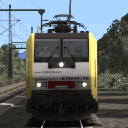
Der BR 185 399 fährt wagen nach Singen. 
Beiträge von ES64F4
-
-
Bonsoir,
Est-ce normal quand je conduis à l’automne qu’il y a des taches blanches dans la prairie ?
Est-ce que c’est de la neige ?
Est-ce qu’on peut les prendre ?
Ja, das ist auch auf dem normalen Kurs so.
-
Der blau-beige BR218 auf der Allgaubahn.
-
Der ICE 407 ist überall unterwegs.

-
Extract the archive and paste the 10 textures into : VirtualRailroads \vR_BR111_VRot_2020\Elloks\BR111\Textures\Numbers
And into the Textures\Numbers of all the repaints.
It will make the front numbering color much better (the original one is far too grey). The new one match the front band color (as it should, see picture 066-7 in dyn number).
-
Jetzt haben wir alle Kombinationen von Pentographen und Puffern in festen und dynamischen Zahlen.
Es ist kostenlos, wir werden uns nicht beschweren. Als ich den ersten BR111 kaufte, bekam ich alles in einem Download.
-
Das LZB von RSSLO ist bei allen Lokomotiven völlig fehlerhaft. Darüber hinaus sind sie die einzigen, die eine nicht deaktivierbare LZB haben. Sie antworten nicht auf E-Mails darüber. Es ist Schande...
-
Dankeschön FabiaLP. Mit dem Befehl "Ändern" in MS2 können Sie auch Funktionen hinzufügen. Ich habe F5 zu F15 hinzugefügt und sie funktionieren wie erwartet.
Ich werde in den Laden gehen, um meine MS2 auf Version 3.55 zu aktualisieren und die beiden fehlenden Funktionen zu behandeln. Der Zug hat 18 Funktionen.
-
Dankeschön. Ja, ich weiß über Shift Bescheid. Einige meiner Marklin-Engines haben eine zweite Seite mit Funktionen. Mit Shift für den Roco ICE 3 Velaro D wurden jedoch keine weiteren Optionen angezeigt. Vielleicht ist die MS2-Software zu alt? Im Moment weiß ich nicht, wie man Funktionen manuell hinzufügt.
-
Ich habe den Roco H0 78041 Triebzug gekauft. Es ist wirklich schön gemacht und läuft gut. Ich laufe es auf einer Marklin-Strecke mit Mobilstation 2 (Software 2.5). Das Problem ist, dass ich nur 5 digitale Funktionen habe. Ich hatte erwartet, dass mehr Funktionen funktionieren würden. Liegt es an der Marklin Mobile Station 2? Gibt es eine Möglichkeit, dass alle Funktionen mit der Marklin-Installation funktionieren?
-
vR BR 120 EL mit Carrosserie aus dem BR 120 TEE Repaint.
-

Der ICE 3M Velaro D bei der Arbeit!
-
Für mich ist es immer noch sehr unangenehm. Es ist nichts Harmonisches an der Mischung zwischen Haufen von Vegetationsarten. Wir sehen zu viele Farbunterschiede je nach Vegetationspackung. Außerdem hat ein Teil der nahe gelegenen Vegetation keinen Schatten und ein anderer Teil spendet Schatten. Es gibt immer noch Wüstengebiete. Kurz gesagt, ich gehe meinen Weg.
-
Wir sehen immer noch die alten hässlichen Gräser, die noch vorhanden sind.
-
Das Präsentationsvideo wäre noch interessanter gewesen, wenn es nachts gemacht worden wäre. Wir hätten also absolut nichts gesehen.


-
Diese Lokomotive ist vergleichbar mit der CZ 186. Es gibt viel mehr Funktionen als bei einem vR BR 425 oder einem ICE 1 (was mehr kostet). Und in diesem Searchlight Simulations GE AC 4400 Canadian Pacificist alles perfekt.
-
Der kleine Teufel bei der Arbeit mit Containerwagen.
-
Wenn die Dinge nicht laufen, sagen wir es. Aber oft, wenn alles gut läuft (und das ist daher normal), sagen wir nichts. Bisher hatte ich vergessen, eine Bewertung zum Velaro D der DTG abzugeben.
+++++ Der Zug ist sehr gut modelliert und die Texturen (ohne riesig zu sein) sehen toll aus. Perfekt !
+++++ Die Kabine ist wirklich ausgezeichnet und naturgetreu. Die Atmosphäre ist sehr erfolgreich (ich liebe die sanfte Beleuchtung bei Nachtfahrten).
+++++ PZB, LZB und AFB: Diese wurden von Maik Goltz erstellt, der für vR-Skripte bekannt ist. Alles funktioniert perfekt wie bei den vR-Lokomotiven.
++++ Der Klang scheint mir sehr gut zu sein, auch wenn Dinge wie die Hupe recycelt werden (identisch mit dem des BR185 und BR189). Ich bin zufrieden.
++++ Der Preis für einen kompletten Zug dieser Qualität (19,99 €) ist nicht hoch und beim Verkauf oft viel günstiger.
++++ Der ICE 3 Velaro D passt wirklich gut zu einem anderen DTG-Produkt (mit einem kleinen visuellen Update): Frankfurt Hisgh Speed. Hervorragende Kombination.
++++ Die kleinen Vorteile: Anzeige des Verbrauchs, Funken vom Stromabnehmer, Anzeige: Länge und Gewicht des Zuges und zurückgelegte Strecke
= Der KVB wäre großartig gewesen, um in Frankreich neu zu lackieren und zu fahren, da der BR407 tatsächlich in Frankreich fährt.
-- Die Sicht des Passagiers ist ziemlich schlecht. Aber für mich ist es überhaupt nicht wichtig.
-- Von außen gesehen sind die Texturen für die Sitze und den Innenraum wirklich schlecht. Unwichtig, da die ICE-Fenster ziemlich dunkel sind (und der Innenraum wenig sehen kann).
Ich muss oft kleine Dinge korrigieren, um einen Motor meinen Vorlieben anzupassen. Hier hatte ich sehr wenig Arbeit! Ein paar Änderungen an der Kabinenkamera, die Windschutzscheibe ein wenig abdunkeln, eine Blendung entfernen, die mir nicht gefallen hat, Linseneffekt reduzieren. Es ist nicht einmal 1 Stunde Arbeit. Ich fahre sehr gerne mit dem ICE 3 Velaro D, weil nichts stört. Von außen oder von der Kabine aus gesehen sage ich mir nie: Ah, das hätte besser gemacht werden sollen.
Schade, dass die DTG nicht so oft einen so guten Zug fährt (der einzige vergleichbare ist der englische APT-P).
-
Ich frage mich, ob RSSLO wieder Haufen unnötiger Assets von anderen Addons integrieren wird. In letzter Zeit gab es alle Arlbergbahn-Stationen...
Jedes Addon belegt immer viel mehr Platz als das vorherige, ohne dass die Grafik wirklich verbessert wird.
-
ICE 3 Velaro D zwischen Frankfurt und Karlsruhe, dann zwischen München und Augsburg. Ein sehr guter Zug!