

Beiträge von Steve

-
-
Er möchte in einem "Freies Spiel" Szenario an verschiedenen Bahnhöfen Rollmaterial Platzieren.
@Märklin
Du musst nicht Fahren, du kannst auch Fliegen. Einfach im Szenario Editor bleiben (Lok-Symbol) und bis zum nächsten Bahnhof "Fliegen" oder, wie schon erwähnt, mit Hilfe des Kompasses und der Marker direkt hin Springen.Gruß, Jim
-
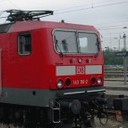
Hallo zusammen aber wenn jemand die br 151 in weiss blau schon hat dann kann er mir sie ja geben oder geht das auch nicht per email

Nein, denn die Textur ist Bestandteil eines Payware-Produktes und unterliegt in diesem Fall dem Copyright des Autors.
Von solchen Anfragen ist Abstand zu nehmen !Gruß, Jim
-
Ok, das nützt mir erst mal nichts.
Ich hatte halt den Gedanken eine Lf2 Tafel als Simples Signal zu Konfigurieren damit man sich den Umweg über die Marker Sparen kann.
Aber das war ja dann wohl ein Schuss in den Ofen.
Gruß, Jim
-
Guckst du hier...

Zum Vergrößern, auf Bildchen Klicken.Gruß, Jim
-
Ließt du dir auch die Hinweise hier im Thema durch?
Beitrag #2 von StS, da steht alles was man Wissen muss.
Bsp. Langsamfahrstelle, Bereich mit dem Bestimmungsort-Marker Markieren, doppelklick auf den Marker, Namen eingeben bsp. Lfs 30.
Im Fahrplaneditor nun einen Wegpunkt hinzufügen ( rotes Fähnchen ) und den eben erstellten Bestimmungsort auswählen.Lok-Scharf = Oben links auf das kleine Loksymbol. Das ist der Scenario Editor.
Gruß, Jim
-
Hallo,
gibt es ein Möglichkeit Signale als Scenario Objekt nutzbar zu machen? Wenn ich bei Valid in Scenarios auf True umstelle passiert nichts. Hat da vielleicht jemand Erfahrung?
Gruß, Jim
-
Hallo,
und Willkommen bei uns im Forum !
Bitte wähle zukünftig eine treffendere Überschrift als "Hilfe" und halte dich ein wenig an die Deutsche Rechtschreibung, bzw. Groß- und Kleinschreibung.
Liest sich einfach besser.
Dein Frage ist schnell geklärt, im Startfenster unter "Einstellungen" den Haken bei "Zeige 3D Pfade" herausnehmen.
Gruß, Jim
-
Wirf mal einen Blick in das Verzeichnis, Assets\IHH\Big Boy\RailVehicles\Steam\BigBoy\Default\Engine
Sollte so aus sehen...

Falls nicht, dann hilft nur eine Überprüfung der Spiel-Dateien. Die Add-Ons von IHH werden auch weiterhin von Steam/RSC gepflegt., auch wenn sie nicht mehr angeboten werden.
Es geht dir also nichts verloren.Gruß, Jim
-
Ok, danke dir. Dann werd ich mir mal eine Trackrule erstellen.
Die Laternen von SAD sind leider für meine Zwecke unbrauchbar, da sie weder zu den Schwellen noch zu dem Gleisbett passen.
Gruß, Jim
-
Hallo,
die Weichenlaternen von JuRa funktionieren ja nur bei manuellen Weichen, bei Automatik-Weichen wird keine Laterne dargestellt. Gibt es eine Möglichkeit das zu ändern, und wenn ja, wie ?
Grüße, Jim
-
Es werde Licht...
Externer Inhalt www.youtube.comInhalte von externen Seiten werden ohne Ihre Zustimmung nicht automatisch geladen und angezeigt.Durch die Aktivierung der externen Inhalte erklären Sie sich damit einverstanden, dass personenbezogene Daten an Drittplattformen übermittelt werden. Mehr Informationen dazu haben wir in unserer Datenschutzerklärung zur Verfügung gestellt.Bitte beachten, dieses Video ist für die technische Demonstration.
In diesem Video, Anti-Aliasing, der neue Himmel und einige Schatten sind ausgeschaltet.
Die Lampe ist noch nicht abgestimmt: Die Leuchtkraft, die Richtung und Foku sind nicht gesetzt. In Train Sim 2012 werden die Lampen auf die individuellen Anforderungen der einzelnen Lokomotiven eingestellt werden.Also, die Dynamik sieht schon sehr beeindruckend aus. Da kommt was auf uns zu. Ich sehe Licht am ende des Tunnels...

Gruß, Jim
-
Man har es nur in diesem Video aktiviert um zu Zeigen was geht. Das Feintuning war zu diesem Zeitpunkt noch nicht abgeschlossen, ebenfalls war das nur Kamera-technisch. Es soll sich ja der Komplette Zugverband bewegen.
Gruß, Jim
-
Ok, muss ich mal schauen ob ich da was improvisieren kann.
Danke und Gruß, Jim
-
Hallo,
heute suche ich auch mal was, und zwar Zuordnungstafeln. Ich hatte die schon irgendwann mal gesehen im RW. Weis aber nicht mehr woher. Ich hab auch nichts gefunden.
Vielleicht weis da ja einer was?
Grüße, Jim
-
 Alles anzeigen
Mit Rumkopieren geht garnichts. Die Dateien sind alle so aufgebaut, dass darin der Pfad und die Datei angeben ist, die verwendet wird. Also mit RW-Tools eine .bin und die darin genannten Unterdateien einer Lok auseinandernehmen, die einen vernüftigen Sound drin hat.
Dann die Dateien der Lok öffnen die man ändern will und schauen wohin dort die Soundeinträge hinführen und dann die Pfad- und Dateiangaben auf Deinen Wunschsound umschreiben.
Natürlich vorher die Originale duplizieren und dann ausserhalb von RW sicher parken.
Also erst mal mit der Dateistruktur von RW auseinandersetzen, klingt schlimmer als es ist, wenn man das mal verstanden hat, kann man auch drin ändern.
Hinweis: Pfadeinträge + Datei beginnen immer unter Assets, absolut in einem >Eintrag< oder Provider >--< Produkt >--< dann >den restlichen Pfad< in mehreren Zeilen.
Viel Geduld, Sorgfalt und Glück
wünscht
StSBei der Class 66 nach dem Eintrag BogieAudioConrol suchen und die Pfadangaben bei den GR Fahrzeugen entsprechend ändern.
Gruß, Jim
-
-
Also wenn ich mich nicht irre, dann hat der ICE 1 keine Neigetechnik. Dafür wurde eigens der ICE-T und ICE-TD eingeführt.
Gruß, JIm
-
Die Box Version ist wohl auf stand 1.10 , wenn es da noch ein update gibt wird das wohl wie bei GR sein. Also nicht das komplette Paket, sondern ein exe Installer.
Bei der download Version können sie die Assets auch weg lassen, und nur die Streckendateien zum download anbieten. Das spart Traffic und den Leuten mit geringer Bandbreite viel Zeit.
Wozu eine Box? Damit man sie ins Regal stellen kann und etwas in der Hand hat. Der eine will es, der andere nicht.
Gruß, Jim
-
Vielleicht hilft dir das zum Thema Notched Brake... Klick !
Ansonsten kann man nur sagen, Sehen und Staunen.

Gruß, Jim


