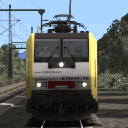
WCMLos upgraded to enjoy even more the APT-P... 

Beiträge von ES64F4
-
-
I'am working on the NO Kuju tree patch! It's under testing but in any route it will replace any Kuju tree or Kuju line tree with a Radiomaster tree or line tree. Every new bin file is made such as any tree or group of trees can be easily mod with indivudual adjustement in size, high, rotation and with the possibility to add grass or flower nearby or exchange any tree from a group. Each item have the same footprint as the original one so there *should* be any bug in any route.
The patch will require my light version of RadioMaster vegetation (36 MB, it will also work with the full pack) and the bin files take about... 23 Ko! Here is some pictures to show what it can do. You will never see any Kuju tree...
-
I really enjoy the APT-P!
Running trough the WCML at 125 mph... The APT-P tilting works perfectly (not like ICE-T one).

-
@hans-peter I know but I did not find a solution for coupling. =/
-
A cup of tea please!
 APT-T...
 -
Agree after more playing. C-APT sound is too low. It will take me 5 minutes to correct it. A shame they did not update the WCML to enjoy the APT-P even in QD. At least, the scenarios goes from one side of the line to the other one so it should be easy to use them and have the right high speed. The manual did not tell how to set new speed and enable C-APT.
I still very happy with this train.
-
I got it! Realy one of the best DTG train (due to help from Skyhook Games and Waggonz). The speed feeling is great and the features are nice. Except a too weathered windshild and the wiper which nearly disapear from external view when working, I found nothing to complain about.
-
This time with pictures!
-
All LGVmed Platform characters (2014 char + 2016 char) as selectable characters.

EDIT : Here is the file to have the 26 characters. Unzip and drop the Assets folder in your Railworks folder (of course DTG LGVmedSouth is required). Sitting position is only available for women and did not work well (wrong initial position and clipping) so for testing purpose. Standing characters are all fine.
-
The patch will be available this week-end. I still have some tests to do...
What will the patch do ?
Common
- raise the ground level so that the tracks do not levitate. I hate flying tracks !
- allow coupling with Thomson rolling stock (still visual bug and QD not compatible)
- change the skies to Kuhu skies
- correct a lot of terrain/scenary poorly made
- change the color of most flashy plants
- add a lot of scenary mostly in station but also all around the track
- add vegetation
Optional
- replace platform characters with LGVmed or Thomson Albula one's
- lower track track speed to max 65 Km/h (this avoid unrealistic turns). I really enjoy the track with this lowered max speed.The patch did not change the track layout and did not impact performances.
Requirement : DTG LGVmed or Thomson Albua and Kuju characters (included in the route but relocated in the right place)EDIT : Heidi Express patch available from... now! Enjoy...
-
Working on Heidi Express..

-
Good new for the *poor* owners of the Heidi Express, I have found the texture used for procedural grass and improve it. If you are not common with TS engine, procedural textures are used to be stretched to fill the gap between an object (like tunne entrance, bridge, wall, rocks, road) and the ground. The original one was in very low resolution with very poor quality and the color did not match the most curent grass. The one I'am testing have an higher resolution and nicely blend with the most common grasses used along the route. A very small piece of change for a very important visual improvement.
I plan to work a few days on some tweaks and improvements. If the results are fine, I will perhaps keep on working and release a patch.
-
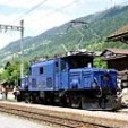
Hallo ES64F4. Du hast mit Sicherheit diese Strecke nicht und auch nicht gefahren!! Sonst könntest Du nicht soooo einen Blödsinn schreiben. Sicher hat es auch hier Fehler wie bei anderen Strecken (z.B. Thomson) aber die Strecke ist Gut und Detailreich. Schau mal genau hin!!!
Uebrigens: Die Löhne, sowie die Lebenskosten in der Schweiz sind nun mal höher als in anderen Staaten darum muss man für die Produkte etwas mehr bezahlen.
Und noch etwas: Mach es Besser!!
Of course I have the Heidi express : Heidi Express RailWorks
-

Der blaue Allegra ist nun lieferbar: HIer
Gruss BobbyAn overpriced master piece of crap. 15 € for a repaint and some scenarios... Add 50 € for one one the worst TS route ever made! Trainsim.ch is for sure the worst TS developper. And they also have the highest prices. Keep away!
TrainworX and Thomson have very good suiss rolling stock. -
Here is a small patch for Heidi Express, it will
- Fix Ge 4/4 II light (the as Thomson Ge 4/4 III), the file which change the light is Ge44Head light.bin
- Allow coupling with Thomson stock (some visual bug, short gap, mixed consist can derail at startup). Some files call namelike_coupling.bin
- Change TimeOfDay to nicer Kuju. TimeOfDay folder
- Change feldweg to a nicer one. JAW folderUnzip the file in a temp location and copy the Assets folder (or just the mod you want) to you railworks folder.
XML
Alles anzeigen<LightComponent> <cSpotLightComponentBlueprint> <Radius d:type="sFloat32" d:alt_encoding="0000000000004940" d:precision="string">50</Radius> <Phi d:type="sFloat32" d:alt_encoding="0000000000003440" d:precision="string">20</Phi> <Theta d:type="sFloat32" d:alt_encoding="0000000000001840" d:precision="string">6</Theta> <Colour> <cHcColour> <Red d:type="sFloat32" d:alt_encoding="000000000000D03F" d:precision="string">0.25</Red> <Green d:type="sFloat32" d:alt_encoding="000000000000D03F" d:precision="string">0.25</Green> <Blue d:type="sFloat32" d:alt_encoding="000000A09999C93F" d:precision="string">0.2</Blue> <Alpha d:type="sFloat32" d:alt_encoding="0000000000000000" d:precision="string">0</Alpha> </cHcColour> </Colour> <CastShadow d:type="bool">0</CastShadow> <DayNightCycle d:type="bool">0</DayNightCycle> <AnimTexture d:type="cDeltaString"></AnimTexture> <ProjectedTexture d:type="cDeltaString"></ProjectedTexture> </cSpotLightComponentBlueprint> </LightComponent>Radius : light range. In exemple, 50 is 50 m. Can be reduced to 20
Phi : open wide angle (some light). In exemple, 20 is 20°. Can be reduced to 15 or 10 to narrow light on side (and also up and down)
Theta : open narrow angle (max light). In exemple, 6 is 6°. No need to changeThose values are common
Red, Green, Blue : RGB color. Max value 1 for each (max light). Min value 0 for each (no ligh). With 0.25, 3 times, it looks fine. Not too bright.
-
My pleasure. I write *Fixed* when I have solved the problem by my self.
So for now, I have replaced all the trolls by characters from LGVmed, changed the TimeOfDay, corrected the Ge 4/4 II over bright light, made coupling with Thomson possible (the gap bug and coupler glitch remain) and lowered track speed to avoid irrealistic turns and derailment.
-
I have bought the Heidi Express for ~40 € (thanks to a colleague and a business trip)...
Good :
- It's looks far better than on the website (see pictures)
- European Loco & Asset Pack is not required (so no *Kujuland* look but trolls and mutants invasion)
- The Ge 4/4 II is really great : nice sound, delayed start up, power on sequence, excellent design, good features, physics seems fine, driver change cab.
- The passenger cars are also fine (nice to see Grandpa and childs)
- Ge 4/4 II and passengers cars are from the same developper who makes a very good job
- Landscape is well made (and looks good with other ToD and weathers otherwise it looks ugly like all TS route)
- The route have a nice situation and is pleasant : speed change, gradients, tunnels, bridges, viaducts, about 50 Km/h average speed (30 Km/h from Arosa are a bit boring/slow for me)Average :
- Scenarios (about 20)
- Track
- Scenary can be nice (horses, cows, deers, sheeps, dogs)
- Algera features
- vR Vegetation
- Nearly no flashy vegetation (some plant in summer at noon)
- Freight wagons
- Traffic on the roadsBad :
- Track radius is far too short in some places and Thomson trains can derail !!! Ge 4/4 II is not affected but those too short curves for the track speed kill the simulation. It's really bad! See last 2 pictures where we are supposed to drive at 90 Km/h. 65 Km/h looks damn fast enough! (*Fixed*, see EDIT below)
- Missing speed on hud and/or missing speed on track and/or on duty sheet => second simulation kill (Less an issue with lowered max speed).
- No AI train in QD : you drive alone from A to B...
- Alegra very poor design. She is so ugly that I did not drive yet and did not plan to do it.
- Poor track rules (?) : in some stations with two or more tracks, track is single way (more tests needed to be sure). It did not help to build scenarios.
- Track gauge is set to 0.92 not to 1 meter like Albula and Arosa (Thomson assets did not look as good on track when looking closer)
- People on the platform look like escaped trolls from a video game from the early 90's (fixed => LGVMed characters)
- Each troll have a 2.7 MB texture (2048x2048) !!! Yes, they are ugly like hell and take much more place than Kuju characters. About 55 MB for the monsters textures...
- Ge 4/4 II light are too bright (fixed)
- Visible LOD change for some trees
- Some buildings, houses and trees disappear when you rotate the camera in outside view. They also *pop and unpop* from caview...
- Coupling with Thomson Rolling stock not possible in scenario building (nearly fixed => change the link name from 2link to 3link but crash in QD and gap within mixed stocks is too short).
- Default stock coupling is poorly made : link did not fit well for all rolling stock.
- Some GeoPcDx grab their textures from several folder in very different location (really messy).
- In Scenery folder, I found a copy of folder Vegetation (about 300 MB) in the folder Vehicles. LOL ! WTF... You say messy ?
- Low res textures for some stuff/scenary
- Some useless poor looking hi res textures (21 MB for some wagons)
- Some areas lake of scenary
- Some awful cars
- Junk in files : DDS, PSD, BAK and TGA that the game engine DID NOT handle (also useless XML in Assets folder)
- When all the junk, useless files and duplicated files are remove, you save about 500 MB.
- The worst job I have ever seen for a TS route
- Price, Price, PriceIt's shame that such a beautiful route is so badly made with flaws particularly hard to correct like curve radius. It did not worth the price... And dont expect any fix from simtrain.ch, they never fix the SBB1. Is that the Swiss quality ?
EDIT : I have *fixed* the track speed/radius issue by editing track files and lowering any above 70 km/h speed to 65 Km/h. Ok, it's really *quick and dirty* but the job is done faster than by rebuilding Km of tracks... Now the route is much more pleasant to drive.
-
-
-
I have the same problem with 1 US route. I dont know what can lead to this issue.