

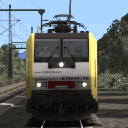
With darker windows. I never understand why all TS stuff comes with cristal clear transparent windows (that's really not match a weatherded body). No real train looks dusty with deap cleanded windows.
Oh, and BTW, a driver have taken place in the cab! One day, I will found a way to make him switch cab (mostly like attache him as a childitem to an object wich change with the driving direction).
==========================
Next is for advanced users only
==========================
Add binding key R to Rizeni
R : Toggle the engin key in/out
Shift + R : Key towards battery On (Shift makes the key go left)
Control + R : Key on running position (Control makes the key go right)
The key start sequence in keyboard is easy :
R => Shift + R => Control + R : Engine boot up ! ![]()
Add this code in the InputMapper
<iInputMapper-cInputMapEntry d:id="46051">
<State d:type="sInt32">0</State>
<Device d:type="cDeltaString">Keyboard</Device>
<ButtonState d:type="cDeltaString">ButtonDown</ButtonState>
<Button d:type="cDeltaString">Key_R</Button>
<ShiftButton d:type="cDeltaString">NoShift</ShiftButton>
<Axis d:type="cDeltaString">NoAxis</Axis>
<Name d:type="cDeltaString">ToggleControl</Name>
<Parameter d:type="cDeltaString">RizeniToggle</Parameter>
<NewState d:type="sInt32">0</NewState>
</iInputMapper-cInputMapEntry>
<iInputMapper-cInputMapEntry d:id="46051">
<State d:type="sInt32">0</State>
<Device d:type="cDeltaString">Keyboard</Device>
<ButtonState d:type="cDeltaString">ButtonDown</ButtonState>
<Button d:type="cDeltaString">Key_R</Button>
<ShiftButton d:type="cDeltaString">Shift</ShiftButton>
<Axis d:type="cDeltaString">NoAxis</Axis>
<Name d:type="cDeltaString">DecreaseControlStart</Name>
<Parameter d:type="cDeltaString">Rizeni</Parameter>
<NewState d:type="sInt32">0</NewState>
</iInputMapper-cInputMapEntry>
<iInputMapper-cInputMapEntry d:id="46061">
<State d:type="sInt32">0</State>
<Device d:type="cDeltaString">Keyboard</Device>
<ButtonState d:type="cDeltaString">ButtonUp</ButtonState>
<Button d:type="cDeltaString">Key_R</Button>
<ShiftButton d:type="cDeltaString">Shift</ShiftButton>
<Axis d:type="cDeltaString">NoAxis</Axis>
<Name d:type="cDeltaString">DecreaseControlStop</Name>
<Parameter d:type="cDeltaString">Rizeni</Parameter>
<NewState d:type="sInt32">0</NewState>
</iInputMapper-cInputMapEntry>
<iInputMapper-cInputMapEntry d:id="46051">
<State d:type="sInt32">0</State>
<Device d:type="cDeltaString">Keyboard</Device>
<ButtonState d:type="cDeltaString">ButtonDown</ButtonState>
<Button d:type="cDeltaString">Key_R</Button>
<ShiftButton d:type="cDeltaString">Control</ShiftButton>
<Axis d:type="cDeltaString">NoAxis</Axis>
<Name d:type="cDeltaString">IncreaseControlStart</Name>
<Parameter d:type="cDeltaString">Rizeni</Parameter>
<NewState d:type="sInt32">0</NewState>
</iInputMapper-cInputMapEntry>
<iInputMapper-cInputMapEntry d:id="46061">
<State d:type="sInt32">0</State>
<Device d:type="cDeltaString">Keyboard</Device>
<ButtonState d:type="cDeltaString">ButtonUp</ButtonState>
<Button d:type="cDeltaString">Key_R</Button>
<ShiftButton d:type="cDeltaString">Control</ShiftButton>
<Axis d:type="cDeltaString">NoAxis</Axis>
<Name d:type="cDeltaString">IncreaseControlStop</Name>
<Parameter d:type="cDeltaString">Rizeni</Parameter>
<NewState d:type="sInt32">0</NewState>
</iInputMapper-cInputMapEntry>
Alles anzeigen
Handbrake on Key_Slash /
With this code you can use :
/ : handnbrake on
Shift + / : handbrake off
<iInputMapper-cInputMapEntry d:id="46051">
<State d:type="sInt32">0</State>
<Device d:type="cDeltaString">Keyboard</Device>
<ButtonState d:type="cDeltaString">ButtonDown</ButtonState>
<Button d:type="cDeltaString">Key_Slash</Button>
<ShiftButton d:type="cDeltaString">Shift</ShiftButton>
<Axis d:type="cDeltaString">NoAxis</Axis>
<Name d:type="cDeltaString">IncreaseControlStart</Name>
<Parameter d:type="cDeltaString">StradacON</Parameter>
<NewState d:type="sInt32">0</NewState>
</iInputMapper-cInputMapEntry>
<iInputMapper-cInputMapEntry d:id="46051">
<State d:type="sInt32">0</State>
<Device d:type="cDeltaString">Keyboard</Device>
<ButtonState d:type="cDeltaString">ButtonUp</ButtonState>
<Button d:type="cDeltaString">Key_Slash</Button>
<ShiftButton d:type="cDeltaString">Shift</ShiftButton>
<Axis d:type="cDeltaString">NoAxis</Axis>
<Name d:type="cDeltaString">IncreaseControlStop</Name>
<Parameter d:type="cDeltaString">StradacON</Parameter>
<NewState d:type="sInt32">0</NewState>
</iInputMapper-cInputMapEntry>
<iInputMapper-cInputMapEntry d:id="46051">
<State d:type="sInt32">0</State>
<Device d:type="cDeltaString">Keyboard</Device>
<ButtonState d:type="cDeltaString">ButtonDown</ButtonState>
<Button d:type="cDeltaString">Key_Slash</Button>
<ShiftButton d:type="cDeltaString">NoShift</ShiftButton>
<Axis d:type="cDeltaString">NoAxis</Axis>
<Name d:type="cDeltaString">IncreaseControlStart</Name>
<Parameter d:type="cDeltaString">StradacOFF</Parameter>
<NewState d:type="sInt32">0</NewState>
</iInputMapper-cInputMapEntry>
<iInputMapper-cInputMapEntry d:id="46051">
<State d:type="sInt32">0</State>
<Device d:type="cDeltaString">Keyboard</Device>
<ButtonState d:type="cDeltaString">ButtonUp</ButtonState>
<Button d:type="cDeltaString">Key_Slash</Button>
<ShiftButton d:type="cDeltaString">NoShift</ShiftButton>
<Axis d:type="cDeltaString">NoAxis</Axis>
<Name d:type="cDeltaString">IncreaseControlStop</Name>
<Parameter d:type="cDeltaString">StradacOFF</Parameter>
<NewState d:type="sInt32">0</NewState>
</iInputMapper-cInputMapEntry>
Alles anzeigen
More friendly AFB
Remove the need to press Q to let the AFB go up. It's only a quick way to make the AFB much more easy to use.
Just find the line <Button d:type="cDeltaString">Key_Q</Button> and replace Q with Y (2 places to change). Pressing Y will also unlock AFB knob.
The *fixed* code looks like this :
<iInputMapper-cInputMapEntry d:id="46171">
<State d:type="sInt32">0</State>
<Device d:type="cDeltaString">Keyboard</Device>
<ButtonState d:type="cDeltaString">ButtonDown</ButtonState>
<Button d:type="cDeltaString">Key_Y</Button>
<ShiftButton d:type="cDeltaString">NoShift</ShiftButton>
<Axis d:type="cDeltaString">NoAxis</Axis>
<Name d:type="cDeltaString">IncreaseControlStart</Name>
<Parameter d:type="cDeltaString">AFBLeverKnob</Parameter>
<NewState d:type="sInt32">0</NewState>
</iInputMapper-cInputMapEntry>
<iInputMapper-cInputMapEntry d:id="46181">
<State d:type="sInt32">0</State>
<Device d:type="cDeltaString">Keyboard</Device>
<ButtonState d:type="cDeltaString">ButtonUp</ButtonState>
<Button d:type="cDeltaString">Key_Y</Button>
<ShiftButton d:type="cDeltaString">NoShift</ShiftButton>
<Axis d:type="cDeltaString">NoAxis</Axis>
<Name d:type="cDeltaString">DecreaseControlStart</Name>
<Parameter d:type="cDeltaString">AFBLeverKnob</Parameter>
<NewState d:type="sInt32">0</NewState>
</iInputMapper-cInputMapEntry>
Alles anzeigen
PS : Since I love Powershell, I hate the mouse ! ![]()