


Die Strecke verwendet Sonderzeichen à,ç,ô,è,é. Bei der Nutzung der Strecke sind die Geschwindigkeitsanzeigen und ihre Texturen nicht sichtbar, und das Programm TSTOOLS meldet einen Fehler bei den Sounds. Die Ordner „Pack Segnaletica Linea, Pack Ambient“ enthalten diese Elemente. Ich bitte Sie, den Fehler zu beheben, da die Strecke sonst unbrauchbar ist. CAST0213 Vielen Dank im Voraus für Ihre Hilfe!
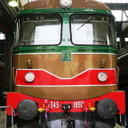
[JT] Italian Route Torino Novara
-
-
-
Kim_olesen1 I described the cause of the error. The error is not with the railway signals. The speed signs are not visible in the TSC program due to the special characters (à,ç,ô,è,é...). These are located in two folders: Pack Segnaletica Linea, Pack Ambient. Check it out, I'll be right. The solution is to rename the files containing the special characters (a, c, o, e), and also the path to the track folder. I am a basic user, not a professional in the TSC program. That's why I asked Cast0213 for help.
-

Kim_olesen1 I described the cause of the error. The error is not with the railway signals. The speed signs are not visible in the TSC program due to the special characters (à,ç,ô,è,é...). These are located in two folders: Pack Segnaletica Linea, Pack Ambient. Check it out, I'll be right. The solution is to rename the files containing the special characters (a, c, o, e), and also the path to the track folder. I am a basic user, not a professional in the TSC program. That's why I asked Cast0213 for help.
Hello fonok79
It sounds strange that special char on some of the assets will give you this problems. Pack Ambient is only environment audio and there are a couple of sounds with a special char. Speed board included in the other Pack have some special char in the assets name, but not in the numbers. Are you seeing floating white numbers without board behind? I assume you've windows in german language, isn't it?
Anyway you're the first one highlighting this, so I need to investigate also with other user with the same environment.
Is there anybody else in this forum with the same problem? If yes, thanks for a feedback.
-
I use the TSC program in English. The Windows system language is Hungarian.
-
-
I use the TSC program in English. The Windows system language is Hungarian.
Hello, can you pls post a screenshot of how the speed board lookis like in your TSC? If you can take it more or less in the position shown in the pictures below it is more than ok.
It is immediatly after Novara station in direction of Torino
-
This is what speed signs look like. It's the same on the rest of the route.
-
This is what speed signs look like. It's the same on the rest of the route.
There is something really strange.
If the special char were the issues, the numbers should be anyway visible, because there is not special char on them. Have you had some issues during route installation? Which version you've installed?
If no issue during installation can you pls make me a screenshot of at least the final part (in alfabetic order around "V" letter) of the following folders?
Assets\Cast0213\Common\RailNetwork\Pack Segnaletica Linea
Assets\Cast0213\Common\RailNetwork\Pack Segnaletica Linea\Textures\Numbers
Thank you
-
It is here.
-
It is here.
So the texture are there and perfectly nominated (even if with special char)
Can you also add the other folder I requested?
Assets\Cast0213\Common\RailNetwork\Pack Segnaletica Linea
Thank you. Sorry to ask some efforts but otherwise I'm not able to try to understand....
-
-
-
Hello. It could be something related with the special chars. To correct it I've to change a lot of assets and send a new package to JT to be released after being sure not to cause any other issues.
I'll keep you informed but thanks in advance to be patient on it. It is something I was not aware...
Pls give me only a couple of feedback, just to be 100% sure:
1) In your TSC setting, in the advanced graphics, do you've both the quality and densisty to max? If not, can you check if something change doing it?
2) If you add the english language in windows, and you switch in english, it is changing something?
I feel not, but if you can also do these 2 test, can be important for me.
Thank you and I apologize for this problem....
-
Interesting not everyone has issues with the special chars, so it might indeed depending which language of windows is used (or which supported languages are additional installed)?
I know other addons from other countrys also using some special chars. And I know that some special chars can lead into wrong displaying a route name too. It can work, or not.
To get sure it will work for most people/countrys:
I generelly would tip to all who are building something in TSC, or any other game, or software: best solution is to prevent any kind of special characters like ä, ö, ü, ß, or those other languages might have (and in some cases/countrys special tastatur shortcuts are needed to write those chars).

Its similar to naming of html-files (as example), using special characters is there a no-go. Otherwise you can get problems. And when it comes to saving something on a cloud-server like a excel-sheet: then there even additional tipps like preventing any spaces too, because the system uses for a single space char two or three signs. Using too much space signs and special chars can cause in those cases (and especially with deep file paths) problems with the length of a file name (thats why often "_" or a "-" as example is used instead a "space").

-

Interesting not everyone has issues with the special chars, so it might indeed depending which language of windows is used (or which supported languages are additional installed)?
...Yes, you're totally right. The few assets with the name was mainly related to the older speed board (speed = velocità in italian). Generally the rest should be with standard chars. I saw that in the scenery tile the "à" is changed with a different char by the TSC compiler. Maybe this is a char not included in some of the language and therefore this is not correctly interpretated by the system.
I was not thinking to it when developing the assets... Thanks for your comments. I'm only interested to know if adding a second language to windows, and choosing it before launching TSC will change something or not. At least is a quick workaround to temporary solve the issue.
-
I changed the language in the Windows system to English. The speed signs are visible, the number textures are missing. I set the graphics settings to maximum. You can see in the picture that the file names of the number textures contain special characters, this may be the cause of the error.
-
-
I changed the language in the Windows system to English. The speed signs are visible, the number textures are missing. I set the graphics settings to maximum. You can see in the picture that the file names of the number textures contain special characters, this may be the cause of the error.
Ok, that's at least a step forward.
So, the setting was already at max now or it was already when you'd originally the issue?
For the texture it is even more strange.
Now what I'm asking you is only for you to try to have the game fully playable while I'll modify the names.
1) Can you pls reset the TSC cache via the setting panel and try to see if the texture will come up using english language?
2) Then, if you switch back to hungarian language, can you confirm also that the speed board will be not visible anymore=
The next request is for me to be more precise:
Using TS-Tools after switching the language back to hungarian, can you pls check the route and send me a list of missing items and textures?
After launching the check, TS will show the list of missing items. In the bottom part there is a button to eliminate the duplicate (to have a shorter list). What I'm interested are the missing assets of my provider Cast0213. I assume a screenshot is more than enough. Then clicking exit TS should give a list of all the used assets (I do not care of them) and then TS should ask if you want a list of missing textures. This is also interesting to me.
Pls do it only if you've time. It's important for me to avoid to scan thousand of lines searching bad names (unfortunately searching file for some special char is not working on windows) but I understand it took times, so pls if you cannot, no problems at all!
Thank you.
-
D:\SteamLibrary\steamapps\common\RailWorks\Assets\Cast0213\Common\Audio\Pack Ambient\Citta 02.bin
D:\SteamLibrary\steamapps\common\RailWorks\Assets\Cast0213\Common\Audio\Pack Ambient\Citta 03.bin
D:\SteamLibrary\steamapps\common\RailWorks\Assets\Cast0213\Common\Audio\Pack Ambient\Citta 04.bin
D:\SteamLibrary\steamapps\common\RailWorks\Assets\Cast0213\Common\Audio\Pack Ambient\Citta Media.bin
D:\SteamLibrary\steamapps\common\RailWorks\Assets\Cast0213\Common\RailNetwork\Pack Segnaletica Linea\Velocita 1 rango.bin
D:\SteamLibrary\steamapps\common\RailWorks\Assets\Cast0213\Common\RailNetwork\Pack Segnaletica Linea\Velocita 2 ranghi.bin
D:\SteamLibrary\steamapps\common\RailWorks\Assets\Cast0213\Common\RailNetwork\Pack Segnaletica Linea\Velocita 3 ranghi.bin
D:\SteamLibrary\steamapps\common\RailWorks\Assets\Cast0213\Common\RailNetwork\Pack Segnaletica Linea\Velocita 3zo rango.bin
D:\SteamLibrary\steamapps\common\RailWorks\Assets\Cast0213\Common\RailNetwork\Pack Segnaletica Linea\Velocita avviso 1.bin
D:\SteamLibrary\steamapps\common\RailWorks\Assets\Cast0213\Common\RailNetwork\Pack Segnaletica Linea\Velocita avviso 2.bin
D:\SteamLibrary\steamapps\common\RailWorks\Assets\Cast0213\Common\RailNetwork\Pack Segnaletica Linea\Velocita Man 2 ranghi.bin
D:\SteamLibrary\steamapps\common\RailWorks\Assets\Cast0213\Common\RailNetwork\Pack Segnaletica Linea\Velocita Man 3 ranghi.bin
D:\SteamLibrary\steamapps\common\RailWorks\Assets\Cast0213\Common\RailNetwork\Pack Segnaletica Linea\Velocita Rid Avviso 1.bin
D:\SteamLibrary\steamapps\common\RailWorks\Assets\Cast0213\Common\RailNetwork\Pack Segnaletica Linea\Velocita Rid Avviso 2.bin
D:\SteamLibrary\steamapps\common\RailWorks\Assets\Cast0213\Common\RailNetwork\Pack Segnaletica Linea\Velocita Rid Man 2 ranghi.bin
D:\SteamLibrary\steamapps\common\RailWorks\Assets\Cast0213\Common\RailNetwork\Pack Segnaletica Linea\Velocita Rid Man 3 ranghi.bin
The TS/Tools program says these are missing. Windows is in English. The same applies to Hungarian language settings.
-
-
Amazing costumer service Cast0213
I have a question regarding the Minuetto. I've installed the SCMT plugin, and have the functions in RSC covered quite well.
A couple of questions (i am not having luck understanding the the manual since it's only in Italian, and it's huge so i can't work out what part to translate)
1 - Is it to boot into drive ready SCMT without all the Autotest, input data things happening? Ctrl X still initiates the autotest procedure.
2 - When all the autotest things are over and i try to drive, i get a rapid brake when passing 35km/h. It's not the "R" button as i do press that as soon as the warning tone sounds.
-
Amazing costumer service Cast0213
Hi Kim, not sure to have perfectly understood the 1st question but I try to answer anyway,
According to the plugin creator, there is no way to skip the SCMT autotest. In whichever mode you're switching on the loco (manual, automatic CTRL+Z or rapid CTRL+X), the autotest will have to be run completely. This is the same for E464 or for Minuetto, because is a procedure built in in the plugin.
At a certain time during the autotest, it is asked if you want to introduce the train data or to drive in "manovra". You've to choose one of the two to move the loco.
If you choose "Manovra" you cannot pass 30 kph.
If you choose "Data introduction", you've to set everything inside (too long to explain here, but as soon as I can I'll prepare a short movie).
Then, SCMT will calculate every frame a braking curve to fullfill the actual speed limit, the next speed limit, the following signals, etc etc. If with your speed you're above this braking curve, SCMT will act. I'm not a full expert on SCMT, but if I remember well as soon as you're 3kph above the expectation, there is some sound and visual warning, the traction is cut off and if this is enough to reduce the speed within the curve, nothing else happen. If you're above the 3kph threshold thatn the emergency braking start.
At least this are basic info I can write not knowing what was the condition of your test....
-