


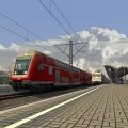
Any chance that the MEMOR-system will be emulated as it is a simplier version of the AWS?
Probably not. In Holland they only use ATB and ETCS and this is primarily a Dutch release in v1.0
Any chance that the MEMOR-system will be emulated as it is a simplier version of the AWS?
Probably not. In Holland they only use ATB and ETCS and this is primarily a Dutch release in v1.0

Any chance for a marker like the LZB marker wich automatically activates or deactivates the ETCS so that a route or scenario builder could determine where the ETCS starts or ends? @ChrisTrains
Oooh. I like that idea. I'll have to see about adding that towards the end of the project.
Yes. At v1.0 there will be ETCS and ATB and you can choose between them with the touchscreen menu 
Ok just to jump in and try to answer a couple of questions here 
(1) I'm trying to add an emulation of ETCS so that Dutch players can get a better sense of the safety system when driving on the HSL (high speed line) in Holland (where ETCS is used)
(2) It's a "passive" system like my ATB - in that it does NOT require any track signalling in the route. This means it will work on ANY route. Whilst this isn't technically correct, it's why I call these systems "emulations" not "simulations". I have to make some assumptions, and work within the limits of what is possible in the game, but a "passive" ATB system has been extremely popular with the Dutch players because it means the route builders don't need to do anything special and it functions about 90% accurate to the real world. My ETCS emulation will be similar (but there's just no way to do the ETCS planning screen).
The biggest challenge in the limits of TS2018 is making circular graphs like the ones needed to traction / braking, and the distance and overspeed graphs in the ETCS screen. The game does not have any built-in way of making these - all you can do is translate and rotate different things in the cab and try to make all the instruments using just those two methods. Normally, for levers, brake gauges etc, this isn't a problem. But when you're trying to replicate an LCD screen it becomes incredibly difficult to do.
I won't even try to explain the problems I've had to overcome just to get this far, but lets just say I wouldn't wish this level of complexity in a cab display on my worst enemy
Anyway - I'm going to tune the system a little bit and perhaps see if I can add a little more functionality, but I think for most players, even a 75% working ETCS emulation will be more fun than nothing at all
Maybe but I'm still busy with the 186 project right now.
There is a "mild" dirt on everything - it doesn't come out well in the videos though.
Success with a new development tonight.
You can now add two extra digits to the engine number. One digit is 0/1 - meaning you can set a scenario with the engine defaulted to "off". (for cold starts).
The other digit is for the country code and line voltage, so you can make a scenario where the correct pantograph selection is used right from the beginning.
Tomorrow I'll see if I can add a CTRL-Z "auto start" for people who WANT to start cold but don't want to learn the (actually quite simple) startup procedure

Hat die 186 wirklich Touchscreens? Wird nicht die Eingabe über die Folientaster vollzogen?
Yes. The screens can be touched or operated with the buttons on the outside of the screen. It was a lot easier for me to make it a touch screen than to try to make the outside buttons work.
Now I know HOW to make the touchscreen work - even though it is very complex - I can add more functions later if I want to. For now I just want to get the v1.0 completed so people can start to ride with it which is another reason I have limited the amount of touch screen functions.
Hi
The Dutch version does have the PZB switches, but they're not used unless the engine is taken into Germany. The ebula screen is also not used in the Netherlands. I have to get the Dutch version finished before I can consider Germany.
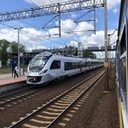
Maybe you could try to work on the German version together with a German developer like VR.
There's a lot of complication even in doing that.
Leave it with me. After all - the Flirt3 was never going to have a German version but that changed
The cabs are quite different between the German and Dutch versions. The Dutch do not have the PZB controls (amongst other things) and the displays are different.
I want to get the Dutch one finished first, and released, then I can look at maybe adding a German version later. For me the complication is trying to get PZB, LZB (which I've never written), ERTMS (which I've never written) and ATB all into the same engine. Any one of those is complicated enough on it's own and remember I'm a one-man-band here
Sorry for the late reply - I was on vacation
It looks like the problem was fixed by reinstalling the GTW. The license message comes up if the game can't find the license file - normally this only happens if the game is copied to a different PC or laptop but for some people the Fall Creators Update messed things up too.
Ha! I've never seen that before. I'll change my coupler
Better?
All my 3-link connectors do this - I can put the handle pretty much anywhere but I've normally seen it hanging down. Where would be better?
@TrainSnail The 'scenario assistent' helps - it shows the trains and routes required. Try this :
http://www.rail-sim.de/aufgabe…rt&duration=&categoryID=0
I actually made the headlights larger already compared to the original model I got from xshooter1. I’m still not finished with the glass yet so the headlights are too obscured at the moment.
I will do this going forward. I will also look to see if there is an intelligent way of automatically editing old scenarios. I wonder if the base scenario XML file is the only place the consists are listed? That would be nice ....
@StS @Norman
It's weird - I can have all my add-ons loaded in a heavy route and not see any crash.
I think the problem is that if I try to split them all up now, it will break every scenario every player has made because the path to the trains and wagons will change on disk. The scenarios reference the consists and wagons by absolute path, don't they?
Also - on the AI/KI trains - I'm not sure why those would be any different unless the author makes those trains with lower resolution textures and less detail.
off-topic -- @Matthias J. "Die Tatsache das er seine Sachen überhaupt nicht trennt, sondern alles unter "Assets\ChrisTrains\RailSimulator" ablegt setzt dem ganzen noch die Krone auf..."
The folders really should not make any difference. The game does not load assets into memory unless they are used in a scenario.
The only problem I see from splitting everything up would be that people then need to activate many different items in the scenario editor each time instead of just one.
This is not expected behaviour. The installer file should not be deleted when the installation is finished. It should still be in the original folder where you put it.
I just checked this on a 'clean' PC and the installation completed correctly, and the installer was still in the same place when it finished.
I was also able to rename / move / delete the file without problems.