


Nimm mal den glas mod raus, der macht das MFA bei den vr loks ebenfalls unlesbar.
Beiträge von SÜWEX
-
-
Zumindest die PZB im 423 hat noch ein paar kleine Fehlerchen die aber bereits gemeldet wurden und hoffentlich ausgebessert.
-
Mein letztes Bild aus 2018
-
Du und dein Peter Maffay

Mal eher was für Jugend von heute:Externer Inhalt youtu.beInhalte von externen Seiten werden ohne Ihre Zustimmung nicht automatisch geladen und angezeigt.Durch die Aktivierung der externen Inhalte erklären Sie sich damit einverstanden, dass personenbezogene Daten an Drittplattformen übermittelt werden. Mehr Informationen dazu haben wir in unserer Datenschutzerklärung zur Verfügung gestellt. -
Mögich ist es, hat Onkel Matze ja bei seiner SWB Version hinbekommen. Vielleicht ist er ja so nett und verrät wo der übertäter sitzt.
-
Repainten.
-
@BR-218 da kannst du jahrelang drauf warten. Der Dispatcher hängt vmtl. irgendwo auf. Bei mir hilft immer speichern und neuladen.
-
Wahrscheinlich wird der Installer einfach nur die steam.exe oder die dll abfragen. Ist bei Ikb nicht anders, kopiert man exe und dll zum ts is ruhe. Ist zwar kompletter Quark, aber aerosoft ist ja anderer Meinung.
-
Maik du weißt genau das viele Leute deine Arbeit gut finden. Hat man ja letztens mit dem ICE gesehen, als sich viele gefreut haben das du die Scripte verbaut hast und nicht DTG. Nur du musst es mal so sehen, wenn deine Gleise Müll wären, dann würd die kein Mensch verbauen. Ich an deiner Stelle würd mich eher freuen das deine Gleise so gut angenommen werden und nicht rummotzen das die ohne zu fragen in Freeware verbaut werden.
-
Also wenn man 1x im Jahr einen Sale für 2-3 Tage macht sinkt also die Qualität? Gut zu wissen

-
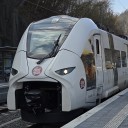
Das Patch für die brennerbahn ist mit dem letzten Update unbrauchbar geworden.
-
Derzeit gibt's ein Problem mit den Preisen im Shop. Rsslo weiß bescheid und bereits an der Behebung dran.
-
Wenn man sich die Arbeit machen will, why not.
-
Ja erkennt es und nein ist nicht egal.
-
Einzigster Unterschied: Ordnerstruktur und Preis.
-
Wie kommen eigentlich diese gewaltigen Unterschiede zu stande? Bei @BkBtMarcel schaut das normal aus, bei dir Julian, schaut das leicht überbelichet aus.
-
Was genau willst du jetzt eigentlich wissen?
-
Also zuerst das AP Script einfügen und dann das Scenario Script?
-
Schau mal ob bei Chris Trains was passendes für dich dabei ist.
-
In der ReadMe steht:
Zitat von APAlles anzeigenHow to Apply to Other Routes
DISCLAIMER: This advice is given on a no-support basis and assumes some prior knowledge. We recommend you only attempt this if you are confident in your knowledge of Train Simulator folder structures.
1) Go to the assets folder for the relevant route and find the folder called ‘TimeOfDay’. If there is no folder called this, find the ‘template’ blueprint for the route which is usually in a folder called ‘TemplateRoutes’. Open this blueprint and see where the TimeOfDay blueprints are located and go there.
2) Go to your RailWorks directory and navigate to Assets\AP\WeatherEP\TimeOfDay.
3) Copy the four .bin files in this folder named after each season and paste them into the TimeOfDay folder of your chosen route. If the naming convention differs for the relevant route, re-name accordingly so the new files match the naming of the old.Please note that we cannot permit the distribution of these TimeOfDay files. If you wish to distribute a route, or a patch for a route which uses these files, you must edit the template blueprint to point to the AP\WeatherEP\TimeOfDay folder and enable the AP>WeatherEP blueprint set in the route editor.