


Hello 
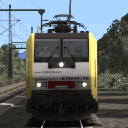
My project is already done (BR 189 Academy Repaint Pack). I know how to make blueprint and I have run a long batch of tests before send it to the download section.
To test my pack, I have create some basics scenarios for Seebergbhan, Konstanz Villingen and 3CCR. With a none released version of the pack, from time to time, I encounter crash to desktop. When I try to edit the scenario, the game also mostly crash. I use RW_Tools to replace the *my* BR 189 with TTB Traxx. It works fine. So I delete my job an start again creating the blueprint and the repaints. Everything was fine. I was happy and do a new batch of tests. I create some scenario again and check it there was no issue while edition. It was fine. I release the pack.
Yesterday evening, I start to edit some of my older scenarios to enjoy the new engines from the pack and the bug comes back. The game crash. Before a crash, I noticed that the blueprint and/or repaints have a black texture, not the missing texture, not their texture, a nice shiny black. First time I see such a thing. If it happens, the scenario crash and trying to edit the scenario also crash the game. I managed to save a scenario just before it crash and it helps me for more testing. I place a copy of the scenario in a safe place to reuse it for more inquiries.
I replace the blueprint repaints with more classic repaints using GeoPcDx and a full engine bin file. I use the same naming so I can test again with the saved scenario. It load the saved game and... it works flowless ! The only downside was that all blueprint repaints have the paint of the engine use as blueprint.
So I wonder if I make mistake in my blueprint and repaints or if the blueprint repaint technology may have issue or it was just bad luck (I doubt because same kind of crash happens several times).
I noticed that most editors (vR, RSSLO, DTG, Chistrain) did not use blueprint. Sure they know how to do it, but why they dont use it ? It save plenty of memory and storage space.
Any advise is welcome. If someone can have a look at my files, i would be pleased.