



Neu bei Railtraction – Quelle: Facebook
shoplink
Beiträge von mikede
-
-
Quelle facebook Railtraction.
Couple of cargo wagons are in discount, extend your collection today till sunday 15 march. https://www.railtraction.eu/ -
-
-
-
-
Raptor see developers with money trees in the gardens.
The price from this product is perfectly fine, the TSC market is declining in size , daily life become more expansive . So simple TSC become also more expansive, if developers are not allowed to ask a market price than nothing new will arrive anymore .
Ps: don’t complain about prices, we don’t life in year 2017 anymore. Years ago you pay for the same bread same quality also less than today.
-
Railtraction hat neue Waggons auf den Markt gebracht!
Jetzt ansehen unter www.railtraction.eu
-
Die Weihnachts-Ausverkaufsaktion von Christrains und Railtraction ist online bis zum 24. Dezember.
-
-
-

Der Tank selber ist schmutzig, das Gestell wie geleckt -fabrikneu ...sehr real.

Maybe you should buy it instead of watch 1 picture than you understand what is inside or look better to real images and product images.
For your information, it’s perfectly plausible that a dirty tank can sit on a clean wagon because it can be removed and placed on it, and wagons vice versa. Same like a rusty shipping container on a brand new wagon, also possible.
-
Von Railtraction gibt es für 6,85€
einen neuen Wagons
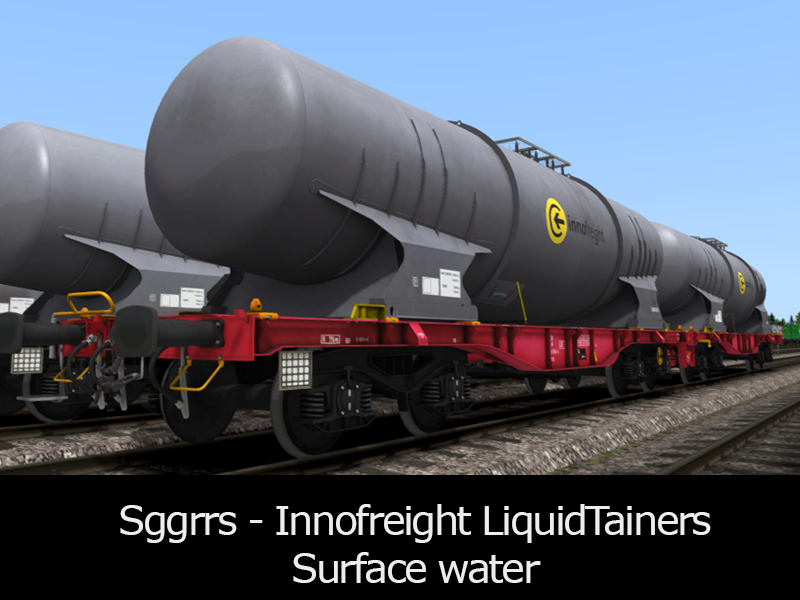 Sggrrs - Innofreight LiquidTainer - SurfaceWaterTankwww.railtraction.eu
 -
Railtraction hat gesagt, dass sie die Rocktainers bauen werden.
-
Gainmaster how do you compare two different wagons? Zacns 98 wagons from VR and RT are different wagon models. So it’s not a double production.
-
-
-
-
Auf Facebook: bis 24-02-2025
From today till 24-02-2025 we have selected addons in Sale. Visit our store to find out: https://www.railtraction.eu
-
Railtraction-Christrains. Christmas Sale bis 23 Dec 2024