

Der TS kann als 32 Bit Anwendung max. ca. 4GB nutzen, wenn sie zur Verfügung stehen. Mit einem 32 Bit System hast Du nur ca. 3,5 GB zur Verfügung in denen sich Betriebssystem, Virenscanner und, und und tummeln. Der TS bekommt dann den Rest. Wenn Du ein 64 Bit System hast mit 8 GB RAM, musst Du schon viel nebenher laufen lassen bis der TS sein 4GB nicht mehr zur Verfügung hat. Mehr als 4GB RAM und ein 64 Bit System bringen also auch was für 32 Bit Programme.
Beiträge von Safter
-
-

der unterscheidet sich die SIFA-Funktionaliät der BR232 in der Realität gegenüber z.B. der BR103?
Ja, die unterscheidet sich. Die 232 besitzt eine Aufforderungssifa, weil angeblich eingeschlafene Lokführer einen normale Sifa auch im Schlaf bedienen. Einfach mal die Threads zur 232 lesen, da wurde schon darüber diskutiert. Das gehört so!
Sebastian: Meinst Du jetzt Maik macht ein V4 bei der die Zahl nur für 4 Sec. nach Tastendruck angezeigt wird?
-
laut Sim Train ist der Railjet, jetzt Offiziel lieferbar
Was willst Du uns jetzt damit sagen, wenn seit Gestern darüber diskutiert wird.
 Da stand Gestern auch schon lieferbar, wo hätten auch sonst solch "professionelle" Videos her kommen sollen, wenn das Addon nicht lieferbar wäre.
-
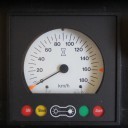
Wenn die Überwachungsgeschwindigkeit nicht angezeigt würde wüsstest Du doch gar nicht ob Zugart U, M oder O eingestellt ist. Die dauernde Anzeige ersetzt die drei blauen Leuchten für die Zugart. Wurde aber hier schon mal erklärt.
-
Link: http://store.steampowered.com/…2632/?snr=1_7_7_230_150_1
About the Game
The English Riviera comes to Train Simulator in the beautifully picturesque ‘The Riviera Line: Exeter-Paignton’ route, which runs through some of the most scenic landscape in England.Set in the area of the south west coast of England known as the English Riviera, due to its mild climate and sandy beaches, this picturesque line opened in May 1846, with a single track broad gauge line transporting holidaymakers from the city of Exeter to the Torbay resorts of Devon. By the end of the same year, the line had been extended to Newton Abbot, and two years later to Torquay – the current Torre station. It was not until 1859 that the Dartmouth and Torbay Railway linked the line from Torre to Paignton.
The 28 mile (45km) line was originally built to Isambard Kingdom Brunel’s broad gauge structure (2,140mm / 7ft 1/4in), a familiar sight on the Great Western Railway network at the time, and was designed for atmospheric power, although this lasted for less than a year from September 1847 - several pump houses can still be seen along the line, acting as reminders of this ill-fated system. The line was eventually converted to standard gauge in May 1892 and later widened to double tracks over the subsequent years.
The non-electrified line is probably best known for its seaside running, rocky coastal scenery and winding tracks, with several miles running along the South Devon sea wall, a picturesque scene during summer months but battered by strong northerly winds and high waves during winter months. Unusually for a UK route, palm trees can also be seen at several stations along the route.
On leaving Exeter St Davids Station, built by Brunel and opened on 1 May 1844, the line crosses the River Exe and passes through the suburbs of the City before heading into the Devon countryside. From Powderham Castle, the railway runs alongside the river and heads into Starcross, where the line first runs along the English Channel. Shortly after, Dawlish Warren comes into sight and for the next 1.5 miles (2.4km), the line runs along the famous South Devon Railway sea wall.
After Dawlish, the line ducks and dives through a series of tunnels cut into the rocky coves, making for a favourite spot of photographers. From Teignmouth to Hackney, the line runs along the River Teign, before heading inland once again to Newton Abbot. Leaving Newton Abbot, the railway widens out to four tracks; the two for Penzance diverge to the right at Aller Junction while the Riviera Line trains climb and then slowly descend towards the sea at Torquay.
Fast passenger services along the line are handled by modern high speed DMUs, including Voyagers and HSTs; stopping services are served by Class 142s, 143s, 150s and 159s. Freight operations are not a major feature of the line but can be seen occasionally.
Included with the route is a First Great Western Class 143, recreating the ‘Pacer’ two-car DMU that is a stalwart of the line. Based on a Walter Alexander bus body, the ‘Nodding Donkey’ was introduced to the rail network in the mid-1980s and is well known for its unsophisticated bouncy ride and meagre seating, faithfully recreated in this model. Also included is a Quick Drive compatible High Speed Train (HST) in First Great Western livery.Scenarios
Six scenarios for the route:- Class 143: First Look
- Class 143: Preparations
- Class 143: Service Practice
- Rescue Diversion
- Busy Day on the Coast
- Storm Consequences
More scenarios are available on Steam Workshop online and in-game. Train Simulator’s Steam Workshop scenarios are free and easy to download, adding many more hours of exciting gameplay. With scenarios being added daily, why don’t you check it out now!Click here for Steam Workshop scenarios.Key Features
- 28 mile (45km) Riviera Line route from Exeter to Paignton
- Seaside running along the South Devon Railway sea wall
- First Great Western Class 143 ‘Pacer’ DMU
- First Great Western HST (Quick Drive only)
- Scenarios for the route
- Quick Drive compatible
- Download size: 1,600mb
System Requirements- OS: Windows® XP / Vista / 7 / 8
- Processor: 2.8 GHz Core 2 Duo (3.2 GHz Core 2 Duo recommended), AMD Athlon MP (multiprocessor variant or comparable processors)
- Memory: 2 GB RAM
- Graphics: 512 MB with Pixel Shader 3.0 (AGP PCIe only)
- DirectX: Version 9.0c
- Network: Broadband Internet connection
- Hard Drive: 6 GB available space
- Sound Card: Direct X 9.0c compatible
- Additional Notes: Quicktime Player is required for playing the videos
Minimum:
-
Und nach dem Ersten senden kommt eine Standarantwort, siehe Spoiler, die ich Ihnen mit exakt der gleichen Email wie beim ersten senden beantwortet habe.
Am Ende steht: "If we do not receive a response from you in relation to this matter within 28 days we will consider it closed however please do not hesitate to contact us for further support should you require it"
Also unbedingt gleich zurück schreiben.We are experiencing high levels of support calls at the moment due to the enormous interest generated by the release of TS 2014. Please be patient with us, we are answering your enquiries as quickly as we can.
===============================================================================
If you see a Scenario.bin error then please press F2 and select to save the game, immediately after, it should start to play normally.
----------------------------------------------------------------------------------------------------------------------------------------------
New Achievement SystemYou may switch off the career scoring if you prefer to play career scenarios, without the scoring system enabled.
Switch On or Off Career Scoring.1. From main menu, go to "Settings",
2. Then select "Gameplay"
3. Then select "Score Career Scenarios"
4. Select the option to either turn the career scoring On or Off.
-----------------------------------------------------------------------------------------------------------------------------------------------
This is an automated response - one of our dedicated support team will be in touch as soon as possible.
Thank you for contacting the RailSimulator.com customer support team. Your enquiry has been logged with a member of our dedicated customer support team who will review it and endeavour to respond to your email personally as soon as possible.
In the meantime our team has found that many of the most common customer enquires regarding technical issues with Train Simulator can be easily rectified by verifying the game cache and clearing the blueprint cache. This is a simple procedure which only takes a few minutes and we strongly suggest that you follow the steps below in the first instance to see if this resolves your current issue.To clear the Blueprint cache please follow these steps:
Open Train Simulator to the Main MenuClick on Game Settings
Click on the Tools
Click Clear Cache
Once complete please re-check Train Simulator to see if your problem persists.
Many customer enquires also commonly relate to graphical issues while running Train simulator. Most enquires of this nature can usually be resolved by following these simple steps:
For graphic problems please follow these steps:
Please make sure that all graphics drivers are up-to-date. You can find support and advice for doing this by visiting for Nvidia graphics cards and visiting for AMD ATI graphics cards. If your graphics card is produced by an alternative manufacturer then please contact their website or support team for help with updating your drivers.http://www.nvidia.com/Download…download/Pages/index.aspx
Please check and make sure that your graphics card settings are all set to use Application Settings. Information on how to do this can found in your graphics card manual, help files or by contacting your manufacturer directly.Please check using task manager that you are not running programs in the background which might effect your system performance such iTunes or Scribe
A wide range of additional help and tutorial articles are also available on our Official Train Simulator User Wiki site which can be found by following this link: or for our video help and tutorials please follow this link to our official Youtube channel: phttp://www.youtube.com/user/RailSimulatorDotComPlease accept our apologies for any inconvenience you may be experiencing. We thank you for your patience while a member of our support team investigates your enquiry and contacts you personally with further support.
Please reply to this email rather than generating a new email, this will avoid any confusion, it also enables us to read the history of all correspondence in order to provide you with quicker assistance and better support.Regards
Support Team - Railsimulator.comIf we do not receive a response from you in relation to this matter within 28 days we will consider it closed however please do not hesitate to contact us for further support should you require it
Und die nächste Antwort ist auch schon da (Spoiler). Das ganze ist sinnlos.

Dear Sir,
Thank you for contacting the dovetailgames.com customer support, your inquiry has been logged with a
member of our dedicated customer support team.
Your comments and the attached RSC bugs document have already been passed to our product team, they will be considered for any improvements or changes that may need to be made for future releases of Dovetail Games
products. Information about the team that is dealing with items raised in that document is available
here - http://www.engine-driver.com/a…mulator-s-trouble-shooterWe can assure you that your concerns are being addressed and we appreciate your taking the time to let us know.
Please reply to this email rather than generating a new email, this will avoid any confusion, it also enables
us to read the history of all correspondence in order to provide you with quicker assistance and better support.
Sorry that you may have been experiencing some difficulties , please accept our apologies for any inconvenience.
Keep an eye on the Train Simulator website: http://www.train-simulator.com or Like us on
Facebook: http://www.facebook.com/railsimulator for all the latest news and details about upcoming
releases.
Regards
Dovetail Games Support.Und jetzt haben sie sogar gemerkt, dass ich es zweimal geschickt habe:
Dear Safter,
Thank you for contacting the dovetailgames.com customer support, your inquiry has been logged with a
member of our dedicated customer support team.You have sent in the same email twice, we have replied to both with the same response below.
Your comments and the attached RSC bugs document have already been passed to our product team, they will be considered for any improvements or changes that may need to be made for future releases of Dovetail Games
products. Information about the team that is dealing with items raised in that document is available
here - http://www.engine-driver.com/a…mulator-s-trouble-shooterWe can assure you that your concerns are being addressed and we appreciate your taking the time to let us know.
Please reply to this email rather than generating a new email, this will avoid any confusion, it also enables
us to read the history of all correspondence in order to provide you with quicker assistance and better support.
Sorry that you may have been experiencing some difficulties , please accept our apologies for any inconvenience.
Keep an eye on the Train Simulator website: http://www.train-simulator.com or Like us on
Facebook: http://www.facebook.com/railsimulator for all the latest news and details about upcoming
releases.
Regards
Dovetail Games Support. -
Einfach den zweiten Teil im TS Szenarioeditor dran machen.
-
Welche Mail Adresse verwendet man am sinnvollsten?
-
...geht nicht, wurde schon mehrmals geschrieben, Vizzart hat dies wohl von seiner Homepage genommen.
kiter & Baul:
Ich habe nicht auf einen nicht funktionierenden Link zum Manual verlinkt, sondern darauf, dass die gleiche Frage schon gestellt und beantwortet wurde. Bitte erst mal den Link anklicken und schauen vorm posten, dann braucht man nicht alles wiederholen (Du warst es sogar, der es beantwortet hat kiter).
-
Wo kann man das Handbuch holen?
Ganzen Thread lesen hilft: [Viz] Rurtalbahn
-
obwohl eines Leistungsstarken PC
Kannst Du das etwas genauer definieren?
-
Ich wollte mir gerade das Manuel ansehen, aber der Link aus Post 4 funktioniert nicht mehr (http://www.eisenbahndiscount.d…lbahn_vizzart-3046864.pdf), kennt jemand einen neuen, ich bin auf die Schnelle nicht fündig geworden.
-
Ja, seit eben, war aber als ich gepostet habe verfügbar. Wahrscheinlich ist die Strecke schon ausverkauft. :XD
-
Ab sofort erhältlich, mit oder ohne Regioshuttle für 17,99€ oder 24,99€:
http://www.eisenbahndiscount.de/detail/index/sArticle/303
http://www.eisenbahndiscount.de/detail/index/sArticle/304
Wer outet sich mit dem ersten Testbericht? -
Danke, ein Anschreiben wir gleich gemacht und an den Post angehängt.
@ AC, das ist ein guter Einwand. Nur manche User können nicht so gut Englisch..

Wenn jetzt jeder den gleichen Text mit nem Anhang sendet, wird die Wahrscheinlichkeit, dass das ganze gleich im Papierkorb landet nur größer.
Das PDF vielleicht auch als Word oder reine Textdatei zur Verfügung stellt kann das jeder der will noch individualisieren, z. B. was dazu machen was vergessen wurde oder weg lassen was einem unwichtig erscheint. Dann ist nicht alles gleich und zwingt die Herrschaften vielleicht zu etwas mehr Aufmerksamkeit, falls es tatsächlich gelesen wird.
-
Die pdf geht ja nur als Anhang mit. Hat jemand von euch ein in gut verständlichem Englisch geschriebenes Anschreiben, in dem man nur noch seinen Namen einsetzen braucht?
-
nach hinten.
Also später, plus 10 Sekunden. Danke, das scheint zu funktionieren.

-
Also bei mir ist das mit der neuesten Version unverändert.

-
Man soll es nicht glauben:
Zitat von SimTrain.chder railjet kann auch für Hagen-Siegen und für eigene Scenarios verwendet werden.
Wer hätte das gedacht? Wenn er auch auf München - Augsburg funktionieren würde hätte ich mir es ja überlegt...
-
Das der Motor zuerst aus geht war schon von Anfang an so.
... und geht vom TS her nicht anders, wie Maik es hier, ich meine schon mehrfach, erwähnt hat.