


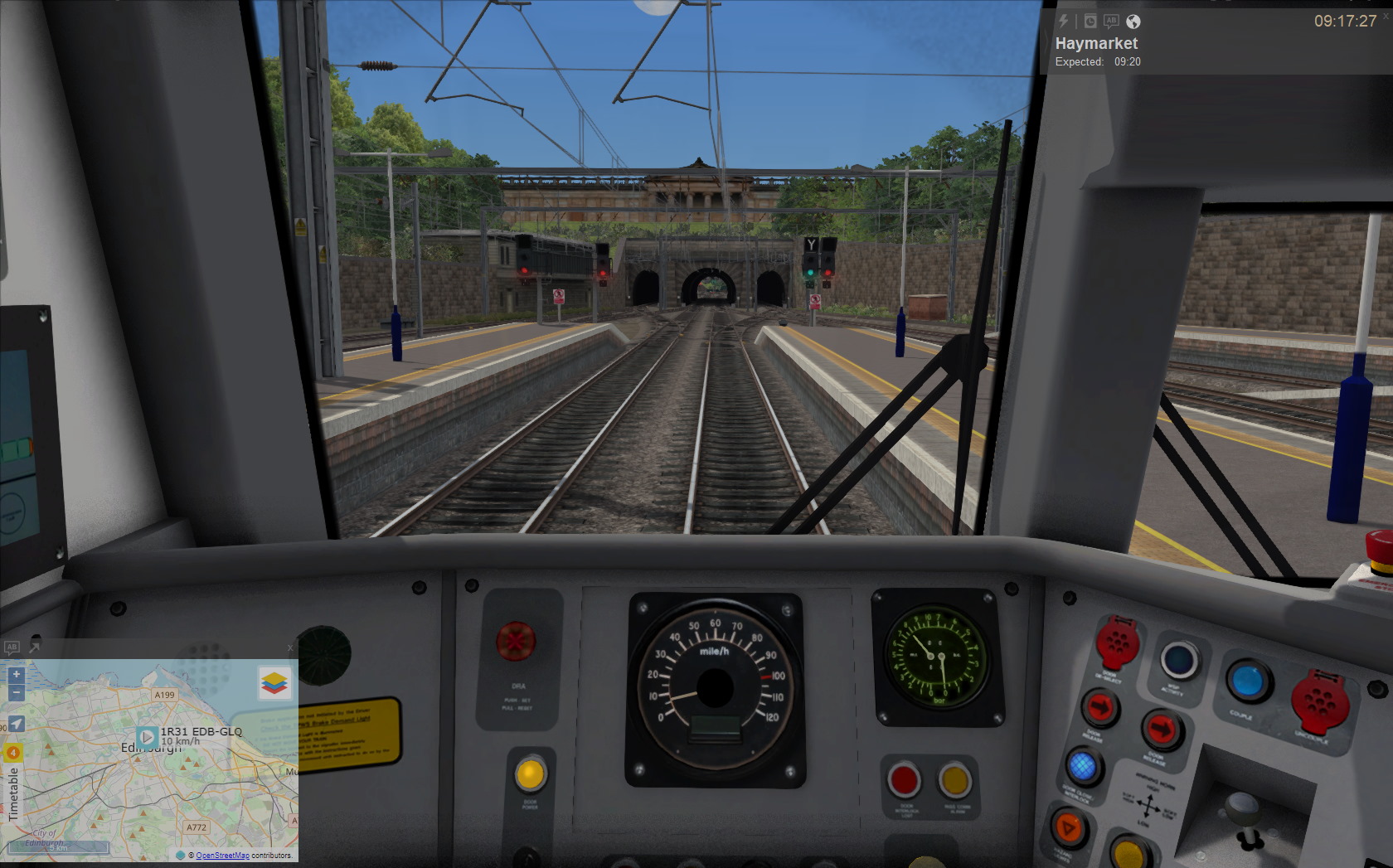
Bring your driving experience to the next level with ThirdRails, the free live map and radar tool for both Train Simulator Classic and Train Sim World 5.
ThirdRails transforms Train Simulator Classic and Train Sim World into a connected, living railway experience with real-time radar, live timetables, and more than 500 AI-powered voices for announcements.
Where every journey is shared, every ride feels alive, and an isolated drive becomes part of something larger.
New! ThirdRails X (version 10)!
ThirdRails X (version 10) is a fundamental repositioning of the platform.
After nearly eight years of building features, X brings clarity by putting the radar and HUD at the heart of the experience, focused on awareness, flow, and immersion.
Less configuration, fewer choices, and more understanding of your journey.
Radar First lays the foundation for the Community Timetable Intelligence Layer.
✔ Introduced UI Modes to match different driving styles (Radar first and Classic)
✔ Repositioned the user interface to a radar-first experience
✔ Unified HUD: Radar becomes the single main HUD for both just-track and timetable modes
✔ Live Browser is now Live Navigator, bringing alternative map views such as Google Street View and Railmap Online directly into the driving experience
✔ Centralized URL sharing for your ride
See theThirdRails for Train Sim World page for setup tips and more.
Features:
-
Live Map Tracker with OpenRailwayMap, OSM, Bing Satellite
-
Community Radar: multiplay-style tracking, chat & visibility
-
Real Drive: drive real-world timetables in Quick Drive or Freeroam or TSW Timetable mode
-
TS Drive: enhanced HUD support for Career and Standard scenarios
-
Spoken Announcements: multilingual, AI-powered, fully customizable
ThirdRails HUD with optional panels for Schedule, Radar, Speedometer, and EBula (PDF viewer for Buchfahrpläne)
Remote Speedometer instantly open a live speedometer on your phone using a QR code
-
Route Chaining: seamlessly link unmerged routes
-
Manual Viewer: access loco guides and YouTube in-cab
-
Quick Drive Editing: adapt paths on-the-fly to fit your timetable
-
Logging & Dashboards: detailed trip data, customizable analytics
-
Whistle Board: share your rides with the Train Sim community
ThirdRails Station Network (Beta) with self-learning station data (More info)
Tutorials and Support:
Recommended Display Settings for the best experience:
– Run Train Simulator Classic in Full Screen – Borderless mode
– Run Train Sim World in Windowed Full Screen mode via Screen – Window Mode settings
Always Evolving
We’re in continuous development. Keep an eye on the roadmap, radar, and socials for the latest features and updates.
Contact info, Downloads, Tutorials and Support: ThirdRails.org
Version and history: Roadmap
Radar: Community Radar
Social Network: Whistle Board
ThirdRails is completely free, but donations are greatly appreciated: Make your donation here
Zusätzliche Informationen
- Autor
- Roland Beenhakker, Beentrain
- Sprache
- English
- Version
- 10
Änderungshinweis
- Kommentar zur Änderung (nach Veröffentlichung):
-
20--2-2026: New! ThirdRails X (version 10)!
For more info on What's New, please consult the RoadMap on ThirdRails.org!
Dateien
-
TRMSetup10000.zip
188,37 MB (53 Downloads)
Kommentare 6
Neu erstellte Kommentare unterliegen der Moderation und werden erst sichtbar, wenn sie durch einen Moderator geprüft und freigeschaltet wurden.
Neu erstellte Kommentare unterliegen der Moderation und werden erst sichtbar, wenn sie durch einen Moderator geprüft und freigeschaltet wurden.
KerryGold89
Hi,
ich hab die aktuellste Version von TRM (7.1) installiert und spiele den TS in der x64 DX12 Version. Leider bekomme ich immer nur die Fehlermeldung, dass er keine GPS-Position finden kann. Wenn ich aber z.B. das Speedometer anschalte, erhalte ich eine korrekte Geschwindigkeit. Die Verbindung zum TS scheint also generell da zu sein. Hat jemand eine Erklärung, warum ich keine GPS-Position erhalte?
VG!
Beentrain
Die DX12-Version von TSC implementiert die Datei „raildriver.dll“ nicht. Mit anderen Worten: Alle Anwendungen, einschließlich der Raildriver-Hardware, die die Datei „raildriver.dll“ verwenden, funktionieren nicht. TSC DX12 ist meines Wissens eine experimentelle Version
KerryGold89
Ah okay, alles klar. Vielen Dank für die Info
Scip
Hallo,
Bei mir werden keine Scenarios angezeigt, ich bekomme stattdessen einen JIT Debugging Fehler.
Infos dazu finde ich auch keine, deshalb schreibe ich hier ob dieser Fehler bekannt ist.
mfg
Beentrain
Hallo, das ist ein bekanntes Problem und ich habe bereits eine Lösung dafür. Ich habe den Download-Link für den Fix 5.4.1 oben in die Beschreibung aufgenommen. Extrahieren Sie auf Ihren Computer und kopieren Sie die vorhandene Installation.
Wenn Sie Fragen oder Probleme haben, lassen Sie es mich bitte wissen!
Grüße, Roland
Scip
Beentrain Vielen Dank es läuft jetzt